Category: AI, Computation, and Technology

  • SITE UPDATE: Fixes – Much Better Experience.

    1. Fixed the Performance Issue – turns out it was the cache hurting performance instead of helping. Now the site operates at what I would consider normal speed.
    2. Fixed the menu display issue on Tablets and Mobile.  Should be awesome now. Hamburger menu appears, etc.
    3. Fixed all-courses display issue, although some might not have found it.
    4. Fixed many, many display issues.
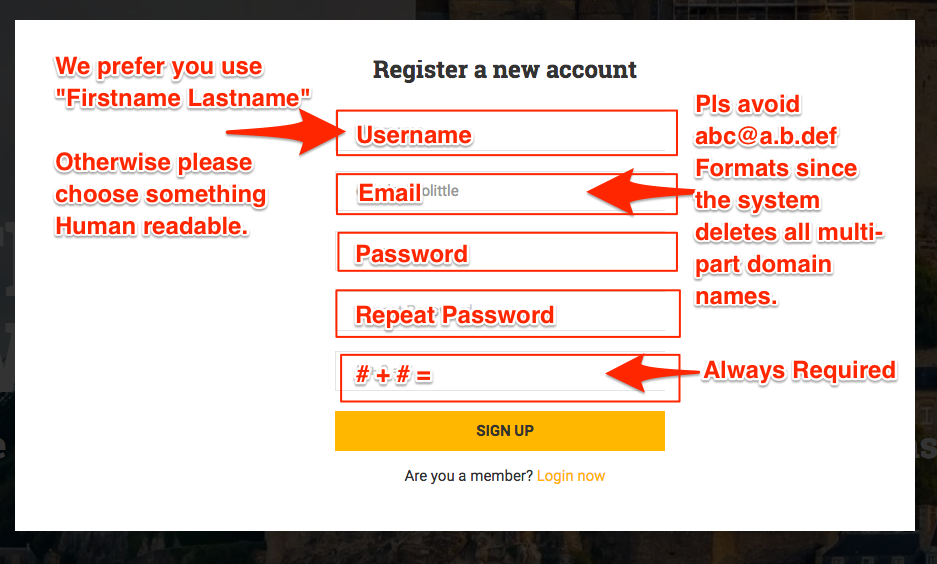
    5. The Login form code does not correctly check for error codes.  This means that if you try to register with a SHYTE email address (like spammers) it just spins. Might have to replace it entirely since the code is … challenging.

    New Open Issue

  • SITE UPDATE: Fixes – Much Better Experience.

    1. Fixed the Performance Issue – turns out it was the cache hurting performance instead of helping. Now the site operates at what I would consider normal speed.
    2. Fixed the menu display issue on Tablets and Mobile.  Should be awesome now. Hamburger menu appears, etc.
    3. Fixed all-courses display issue, although some might not have found it.
    4. Fixed many, many display issues.
    5. The Login form code does not correctly check for error codes.  This means that if you try to register with a SHYTE email address (like spammers) it just spins. Might have to replace it entirely since the code is … challenging.

    New Open Issue

  • Brandon Hayes Dunno man. I think this was a gift from the gods in disguise. I me

    Brandon Hayes
    Dunno man. I think this was a gift from the gods in disguise. I mean… I’m about 5x more productive, we have great chats on Telegram, we can push data to FB, they aren’t… https://www.facebook.com/permalink.php?story_fbid=453583505238545&id=100017606988153


    Source date (UTC): 2019-08-23 21:20:51 UTC

    Original post: https://twitter.com/i/web/status/1165011040070963202

  • PROBLEMS SIGNING UP AT PROPERTARIANISM DOT COM? There is a spam and bot filter t

    PROBLEMS SIGNING UP AT PROPERTARIANISM DOT COM?

    There is a spam and bot filter that limits domain names common for spammers (myname@this.that.xxx”). We had a bug in one line that was not… https://www.facebook.com/permalink.php?story_fbid=453309395265956&id=100017606988153


    Source date (UTC): 2019-08-23 11:50:03 UTC

    Original post: https://twitter.com/i/web/status/1164867395124682752

  • PROBLEMS SIGNING UP AT PROPERTARIANISM DOT COM? There is a spam and bot filter t

    PROBLEMS SIGNING UP AT PROPERTARIANISM DOT COM?

    There is a spam and bot filter that limits domain names common for spammers (myname@this.that.xxx”). We had a bug in one line that was not correctly testing a hit. It’s fixed now.

    Please register. It’s basically facebook + courseware.

    We don’t care if you take courses. It’s just so you can participate in the discourse, and be informed when we need to reach you (or you need to reach the rest of us).


    Source date (UTC): 2019-08-23 07:49:00 UTC

  • Our Site Update (bug fixes etc)

    Our Site Update (bug fixes etc) https://ift.tt/33ZqkAG


    Source date (UTC): 2019-08-22 00:11:13 UTC

    Original post: https://twitter.com/i/web/status/1164329140478259200

  • Our Site Update (bug fixes etc)

    UPDATES:

    Well, less time on FB makes for much higher productivity. Mostly because of less task switching.

    1. Bug in APLLY01 Application For Courses > Terms Quiz Fixed.
      There was a bug that repeated questions confusing the user.  The bug was in serialized text data (a messy concatenated string)  and it required rebuilding everything except the course container.  The Quiz (Terms Questions) now functions properly and grades properly.

      Note that the location of the Next, Previous, Complete buttons does bother me, but I assume most people are more attentive that I am. lol…  I hope.
    2. Added simple intro to how to use the site for newbs.
    3. The width of the text on pages is now limited to 80% of the viewport so there is more white space and the text is more readable.
    4. Added more content to the FAQ
    5. Completed the About Us Page (Our Mission etc.) and used some aphorisms just for marketing purposes.
    6. Every version the developers release for the Theme breaks the footer and I have to rebuild it manually. I am going to flatten it to straight HTML. The only reason to tell you is that if you don’t see it, that’s why.   Takes me 35 minutes every time.
    7. Removed the unnecessary header for the Social Media system for better readability.
    8. Removed photo backgrounds from the headers, and shortened the space to the minimum necessary for the page title.
    9. Removed the slider on the front page and replaced with static.
    10. Pomen has been justifiably chasing me to work on the Store but I haven’t had time so now I suppose I can make some. 😉

    More soon….

  • Our Site Update (bug fixes etc)

    UPDATES:

    Well, less time on FB makes for much higher productivity. Mostly because of less task switching.

    1. Bug in APLLY01 Application For Courses > Terms Quiz Fixed.
      There was a bug that repeated questions confusing the user.  The bug was in serialized text data (a messy concatenated string)  and it required rebuilding everything except the course container.  The Quiz (Terms Questions) now functions properly and grades properly.

      Note that the location of the Next, Previous, Complete buttons does bother me, but I assume most people are more attentive that I am. lol…  I hope.
    2. Added simple intro to how to use the site for newbs.
    3. The width of the text on pages is now limited to 80% of the viewport so there is more white space and the text is more readable.
    4. Added more content to the FAQ
    5. Completed the About Us Page (Our Mission etc.) and used some aphorisms just for marketing purposes.
    6. Every version the developers release for the Theme breaks the footer and I have to rebuild it manually. I am going to flatten it to straight HTML. The only reason to tell you is that if you don’t see it, that’s why.   Takes me 35 minutes every time.
    7. Removed the unnecessary header for the Social Media system for better readability.
    8. Removed photo backgrounds from the headers, and shortened the space to the minimum necessary for the page title.
    9. Removed the slider on the front page and replaced with static.
    10. Pomen has been justifiably chasing me to work on the Store but I haven’t had time so now I suppose I can make some. 😉

    More soon….

  • Overview of the Site

    Overview of the Site

    [vc_row][vc_column width=”1/2″][vc_column_text]

    Home Page

     

     [/vc_column_text][/vc_column][vc_column width=”1/2″][vc_column_text]

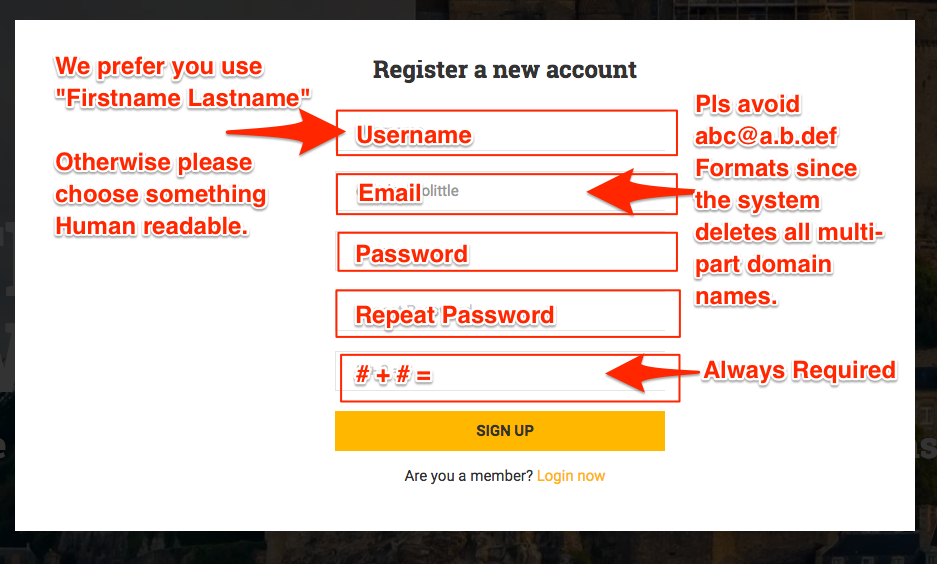
    From The Home Page you can:

    1. Register, and
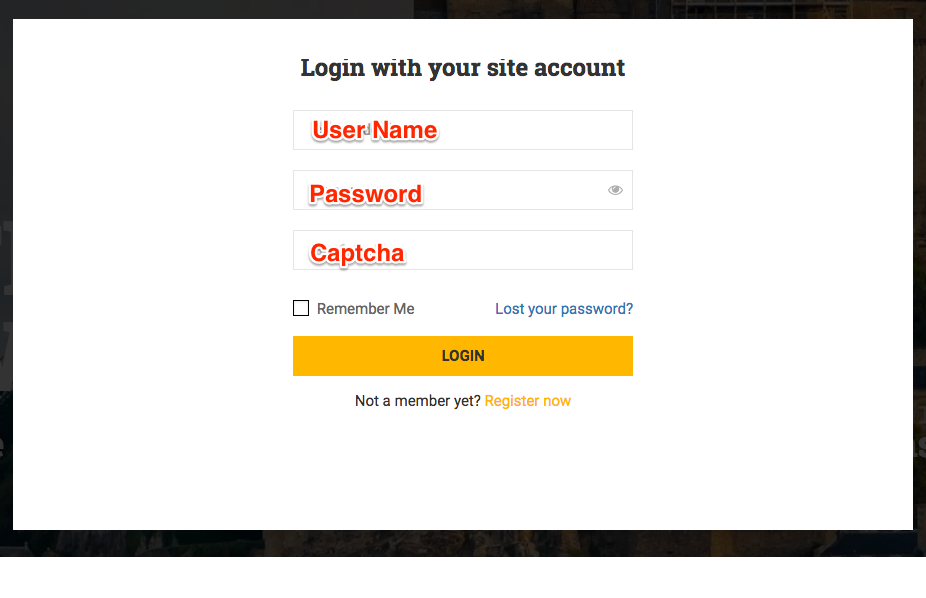
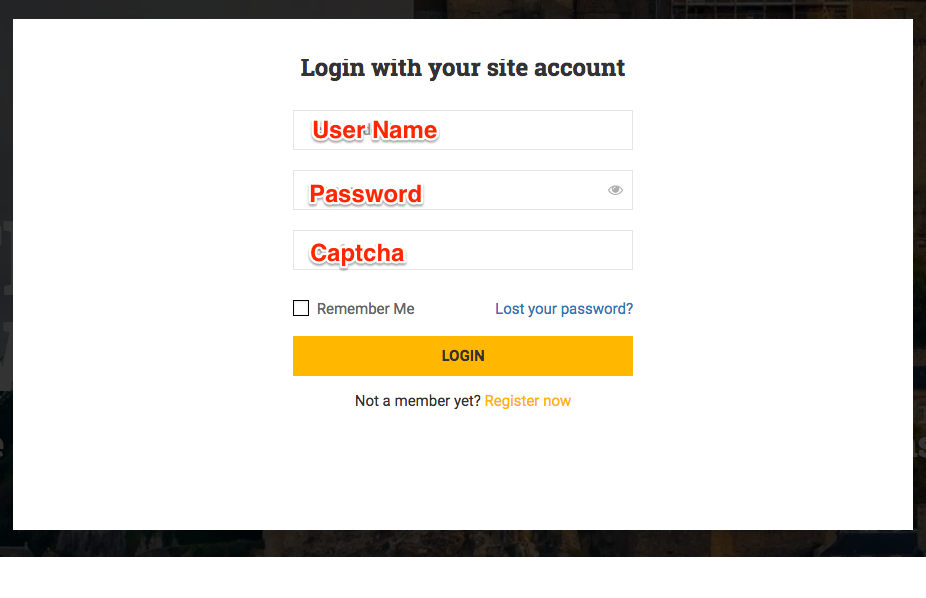
    2. Login.

    Register.

    Then Login

    [/vc_column_text][/vc_column][/vc_row]

    [vc_row][vc_column width=”1/2″][vc_column_text]

    Home Page

    [/vc_column_text][/vc_column][vc_column width=”1/2″][vc_column_text]

    From The Home Page you can:

    1. Use the Profile Menu to enter the Institute Application.

    The application contains:

    1. The Courses System
    2. The Groups and Forums System
    3. The Social Media System

     [/vc_column_text][/vc_column][/vc_row]

    [vc_row][vc_column width=”1/2″][vc_column_text]

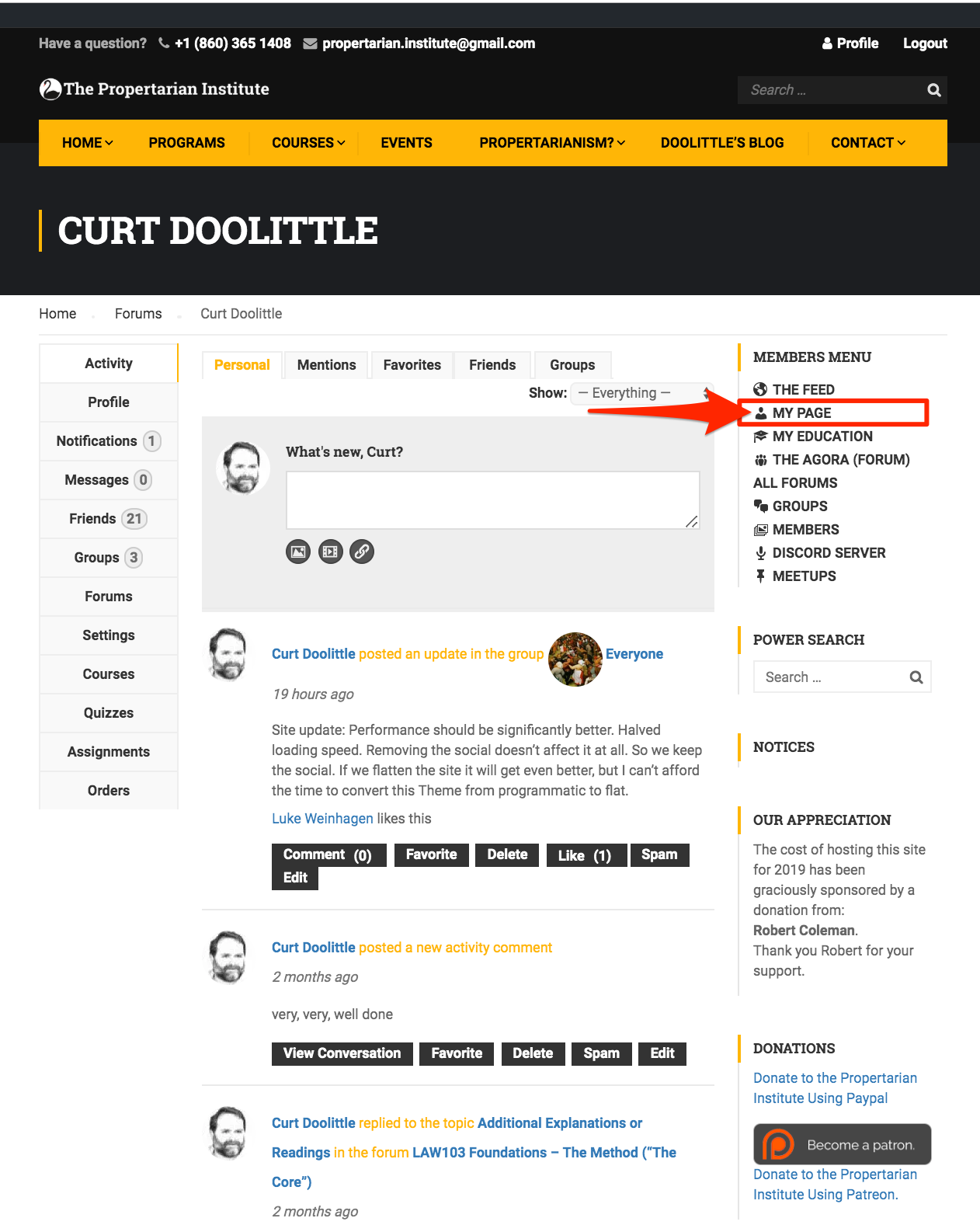
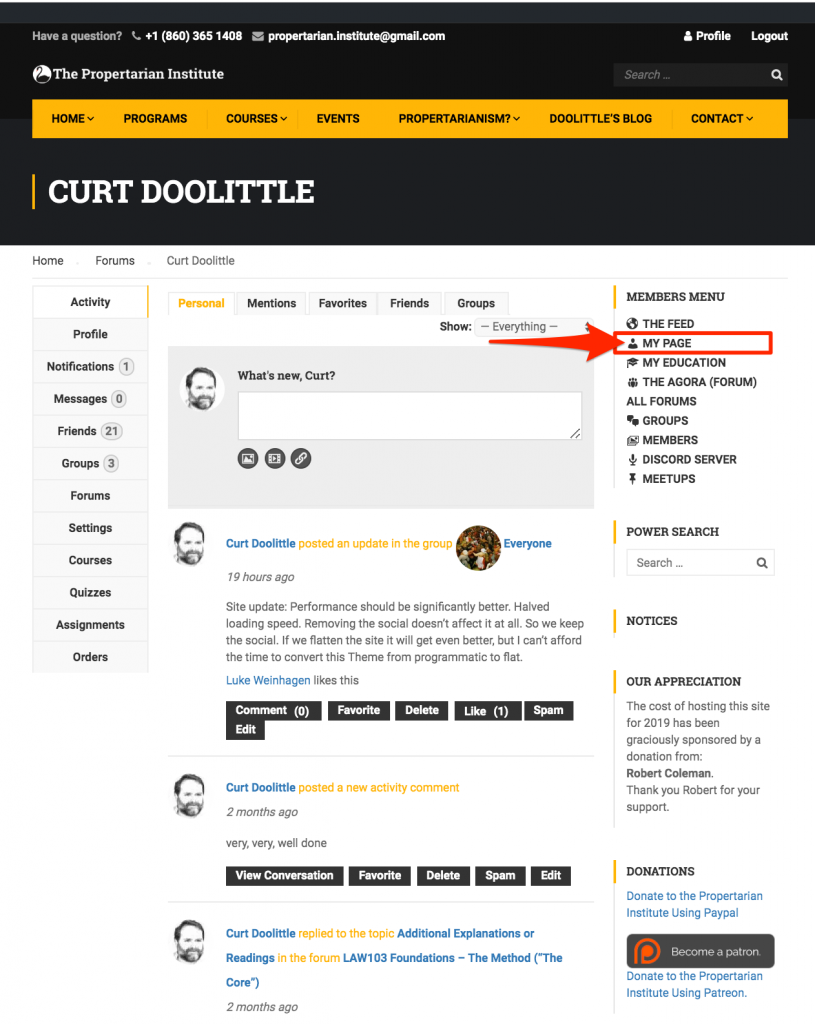
    Your Profile

    1) Your Postings.
    2) Profile Menu (on left)
    [/vc_column_text][/vc_column][vc_column width=”1/2″][vc_column_text]

    From the My Page (Profile) Page

    Use the My Page (Profile) Feed to

    • Post new content
    • Review your previously posted content

    Use the Top Menu to Filter the Messages by

    • Personal
    • Mentions
    • Favorites
    • Friends
    • Groups

    It’s unlikely you will use most of these features until you are experienced with the application.

    Use the Profile Menu, on the Left to:

    1. View Activity (default view)
    2. See Notifications
    3. Read and Send Messages
    4. View Your:
    • Friends 
    • Groups
    • Forums
    • Courses
    • Quizzes
    • Assignments 
    • Orders (For Courses)

     [/vc_column_text][/vc_column][/vc_row]

    [vc_row][vc_column width=”1/2″][vc_column_text]

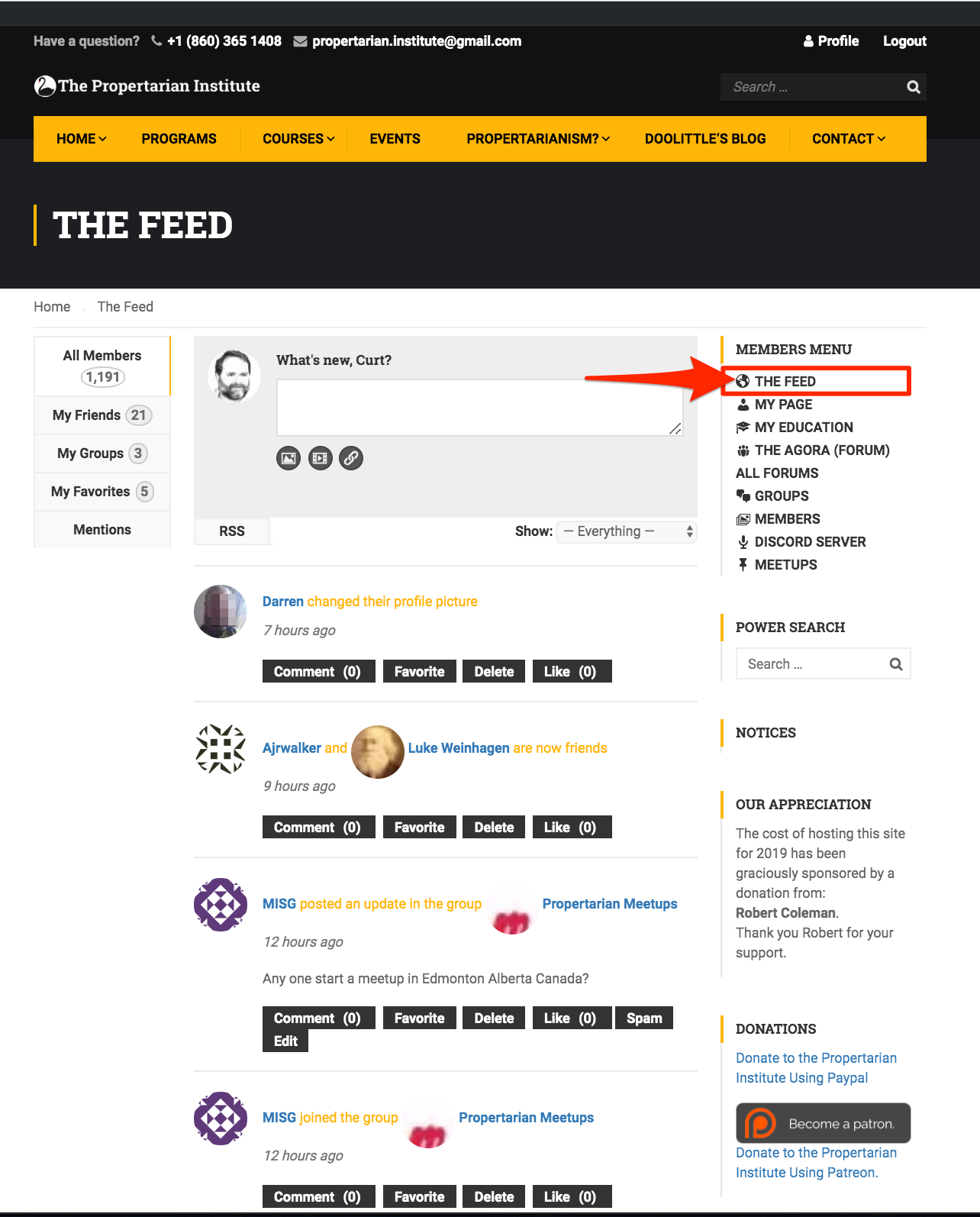
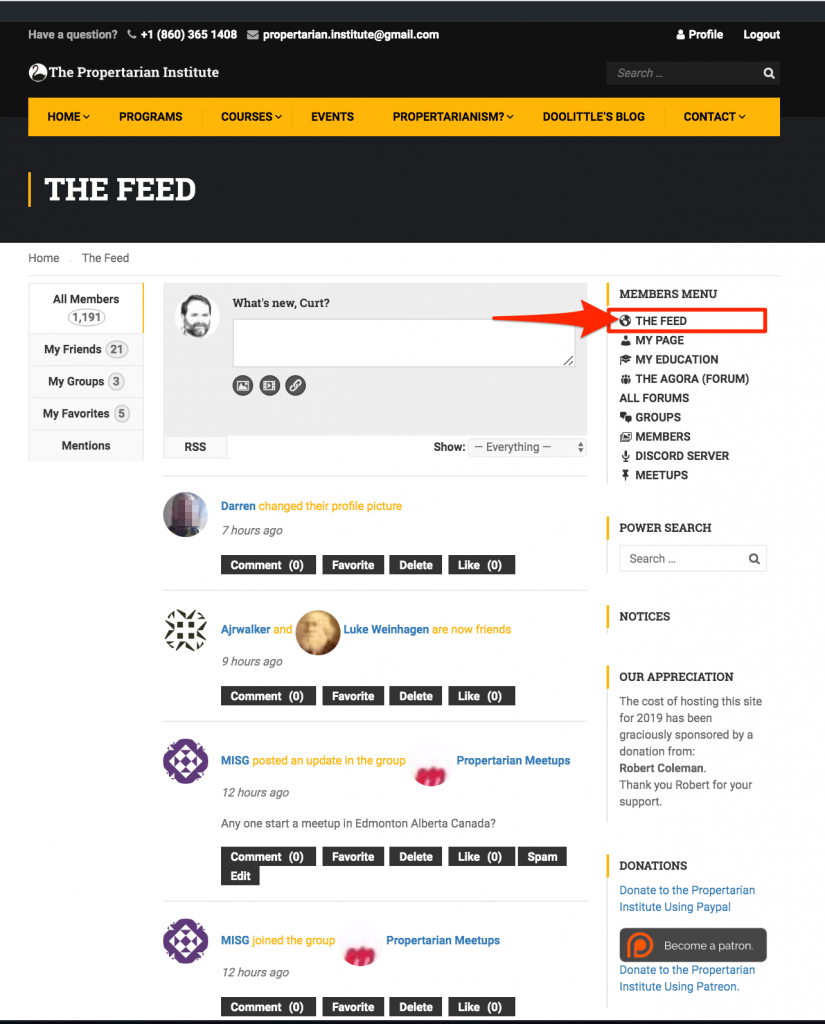
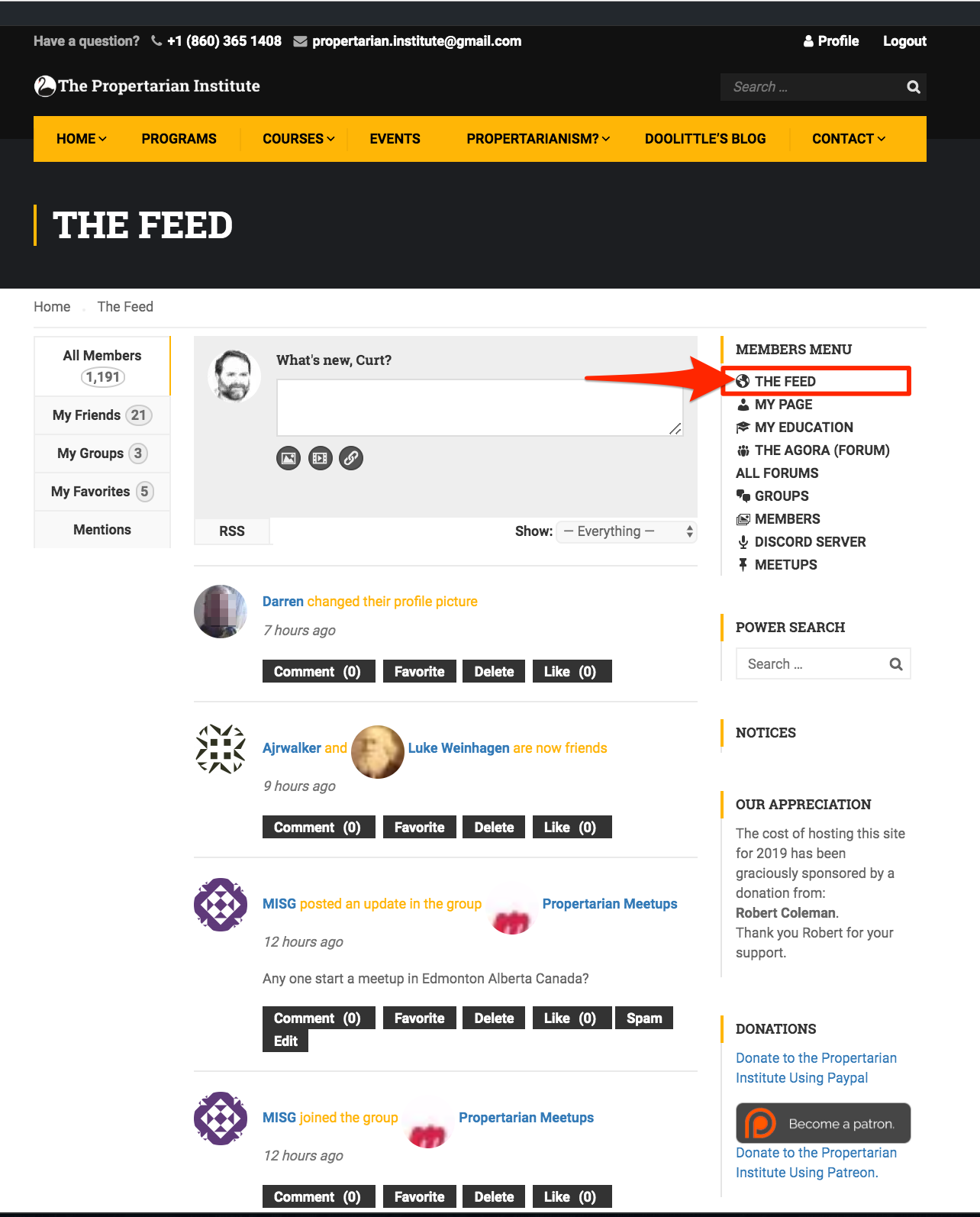
    The Main Feed

    (Like Facebook’s ‘Home’)
    [/vc_column_text][/vc_column][vc_column width=”1/2″][vc_column_text]

    From the Main Feed

    Use the main feed to see all the incoming activity from everyone you’re associated with.[/vc_column_text][/vc_column][/vc_row]

    [vc_row][vc_column width=”1/2″][vc_column_text]

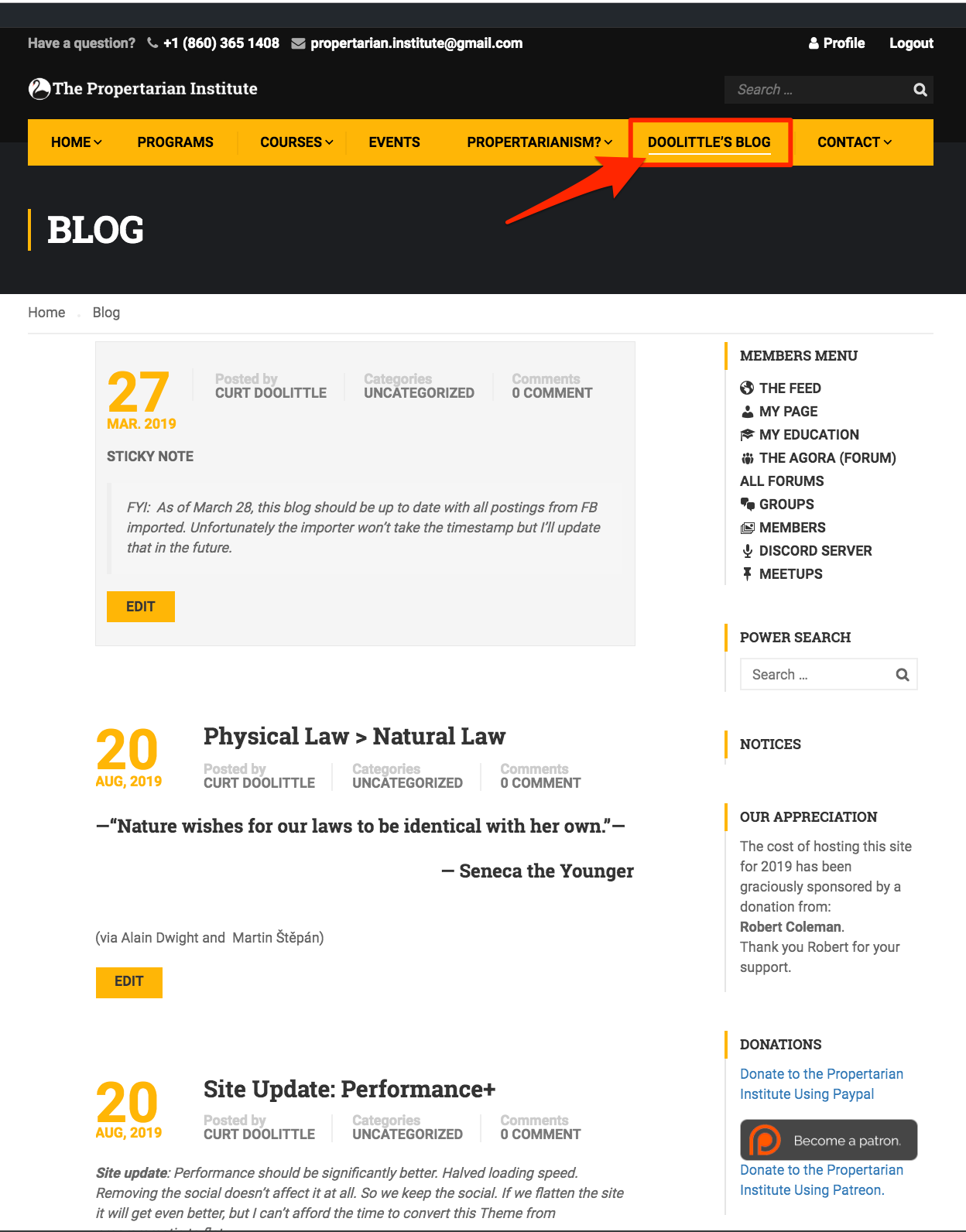
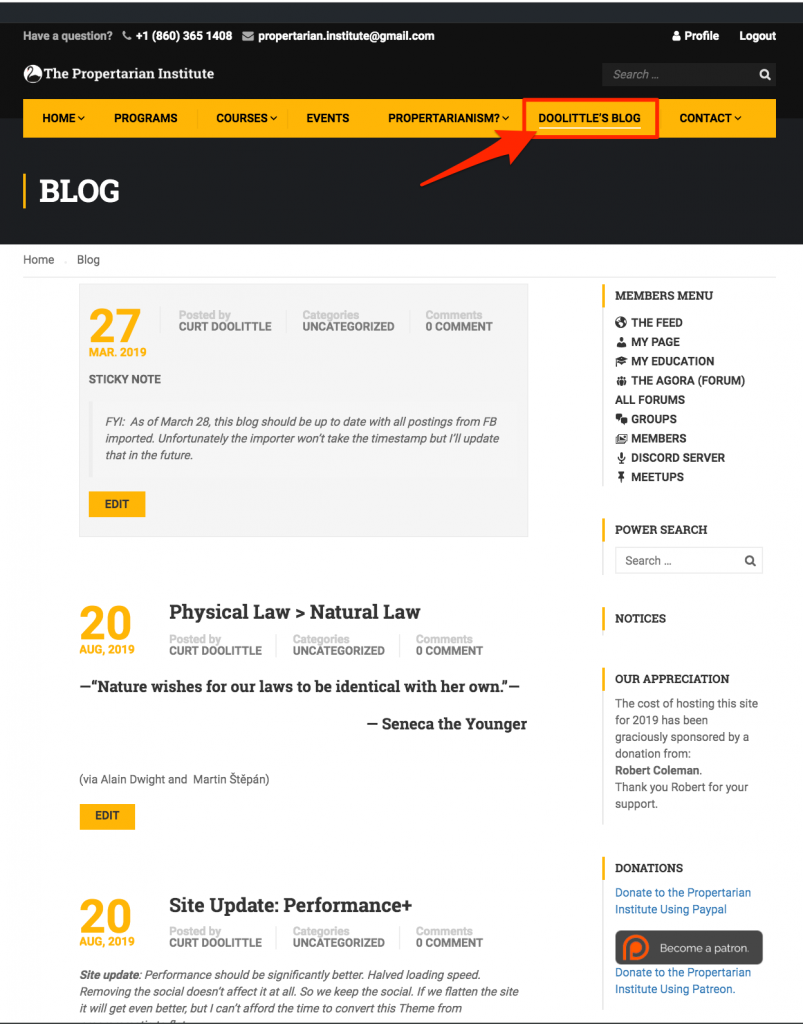
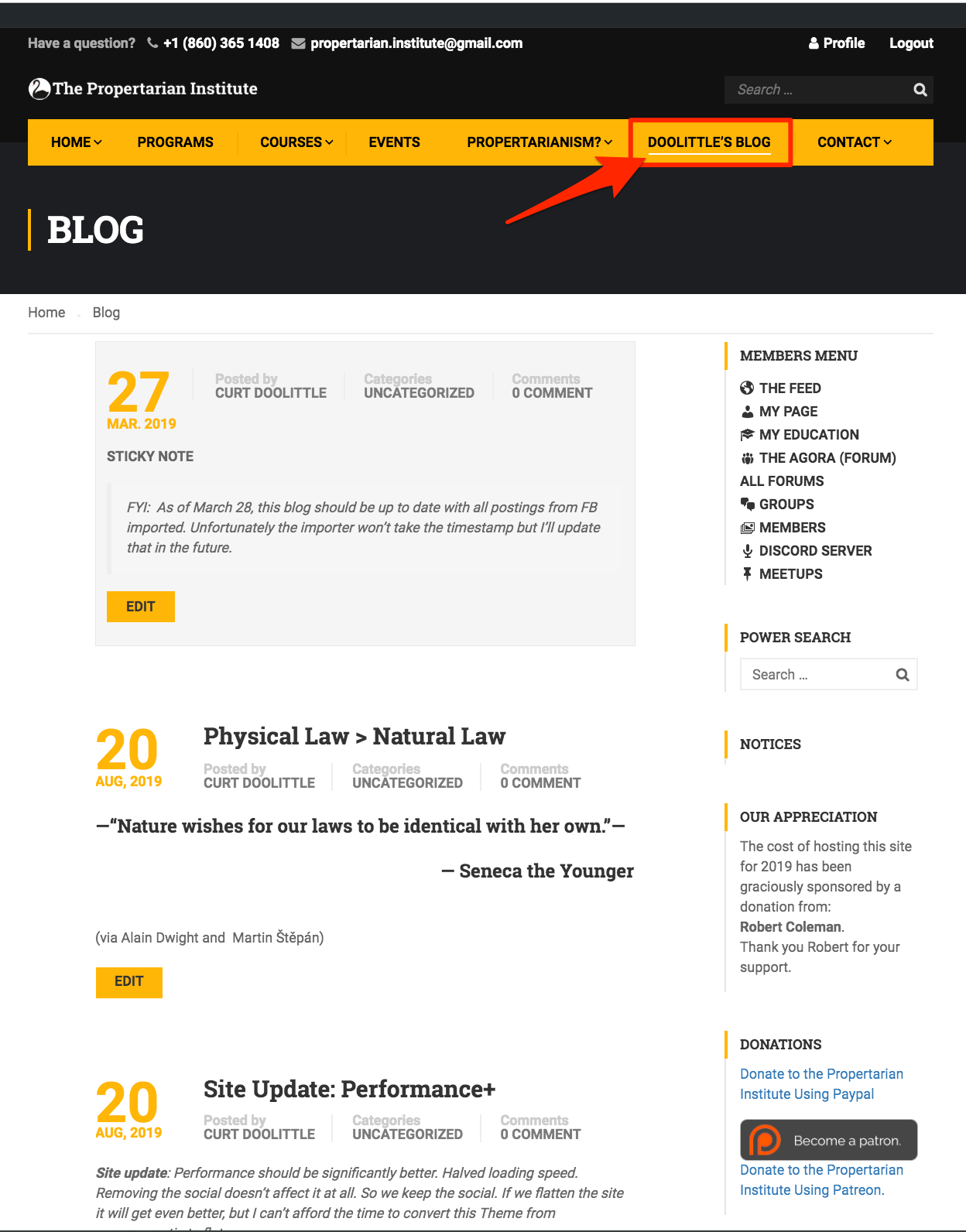
    Our Blog
    [/vc_column_text][/vc_column][vc_column width=”1/2″][vc_column_text]

    From The Blog

    The Blog is an archive from about 2009 to present of almost everything Curt has made public, plus contributions from dozens of others.

    Searching the Blog

    Use the Search box and pick a phrase or keywords to return a list of all the quotes, posets, and articles that we have archived.[/vc_column_text][/vc_column][/vc_row]

    [vc_row][vc_column width=”1/2″][vc_column_text]

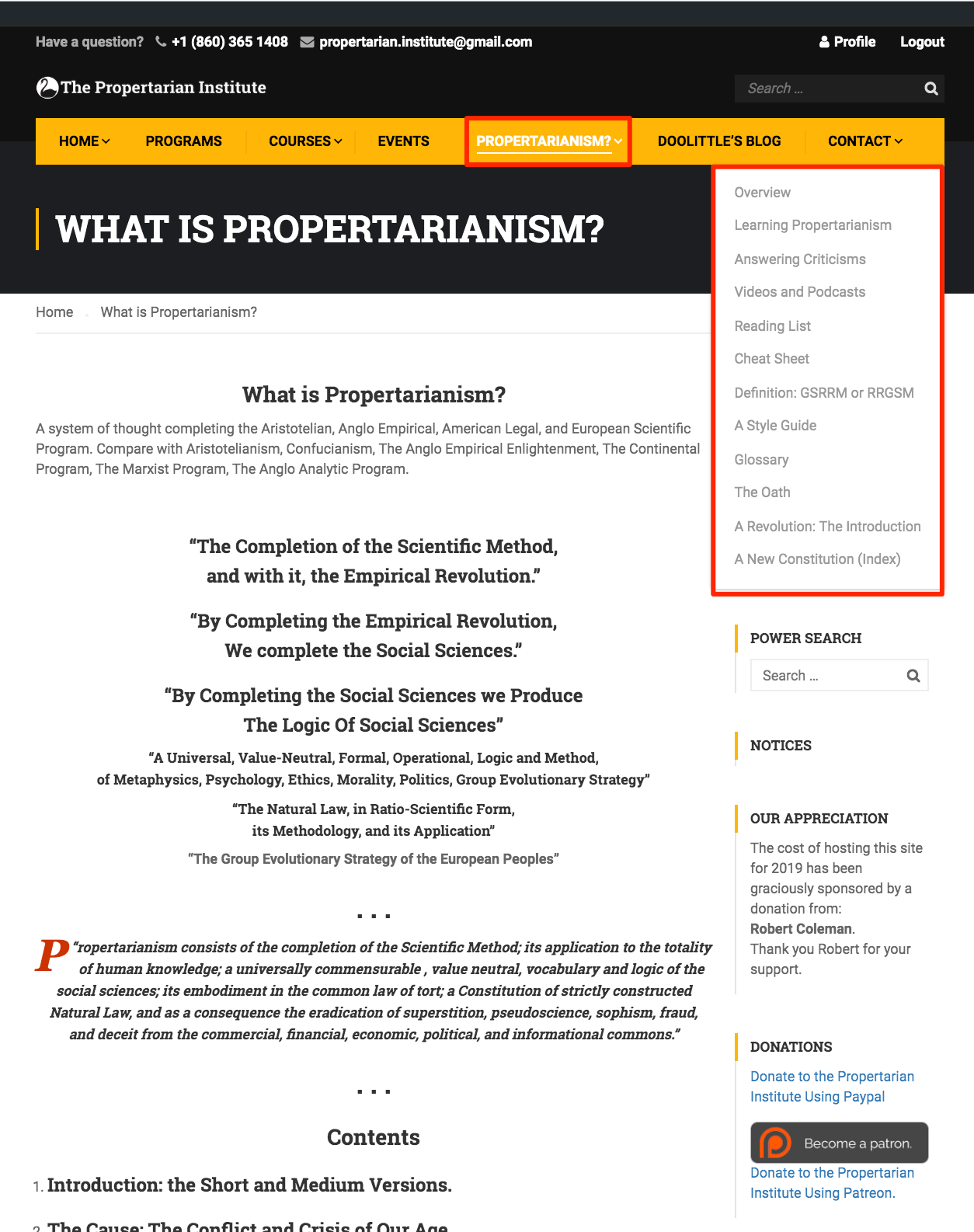
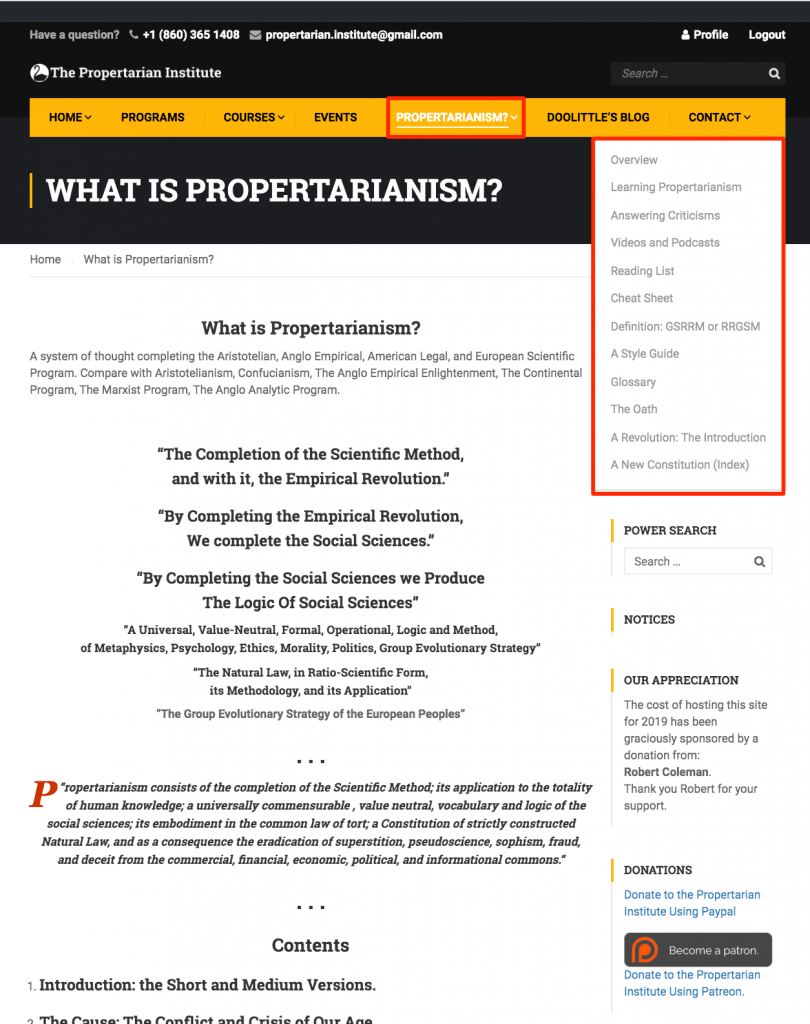
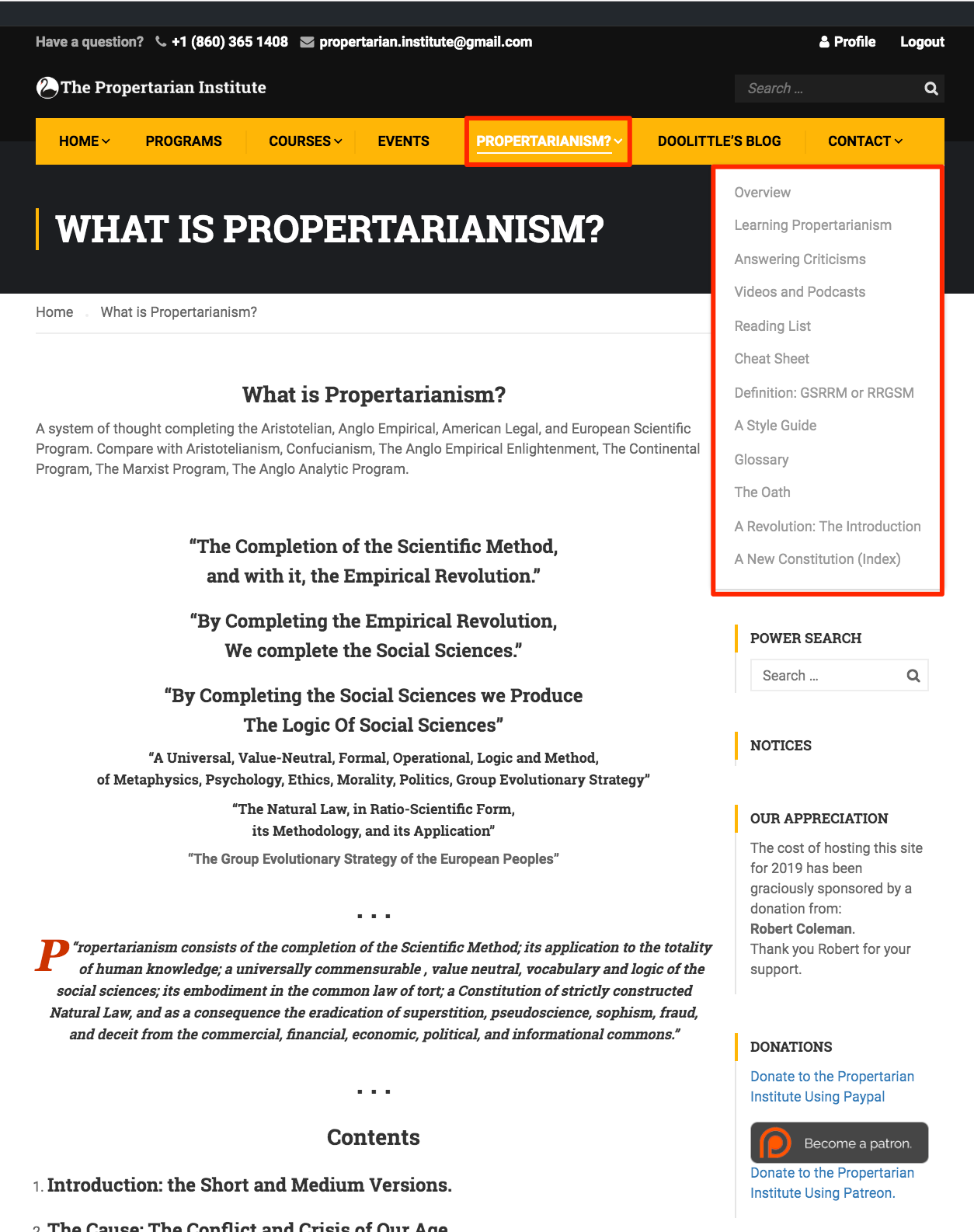
    Propertarianism References Menu
    [/vc_column_text][/vc_column][vc_column width=”1/2″][vc_column_text]

    From the Propertarianism Menu

    You can learn about propertarianism in its current state of development.

    1. Select Main Menu, then
    2. Propertarianism

    You’ll see the Propertarianism References Menu.

    We update the content regularly so the list changes.

    Most important for new readers is:

    1. The Overview
    2. Learning Propertarianism
    3. And The Reading List

    If you want to learn about criticisms of Propertarianism, Curt’s method of using King of the Hill Games, or his ‘combative‘ style read:

    • Answering Criticisms, and
    • The “GSRRM” Technique.
    • A Short Course in Abrahamic Argument.

    There is a method to his technique of ‘Teaching Men’ in the “Locker Room” of Internet discourse.

     [/vc_column_text][/vc_column][/vc_row]

    [vc_row][vc_column width=”1/2″][vc_column_text]

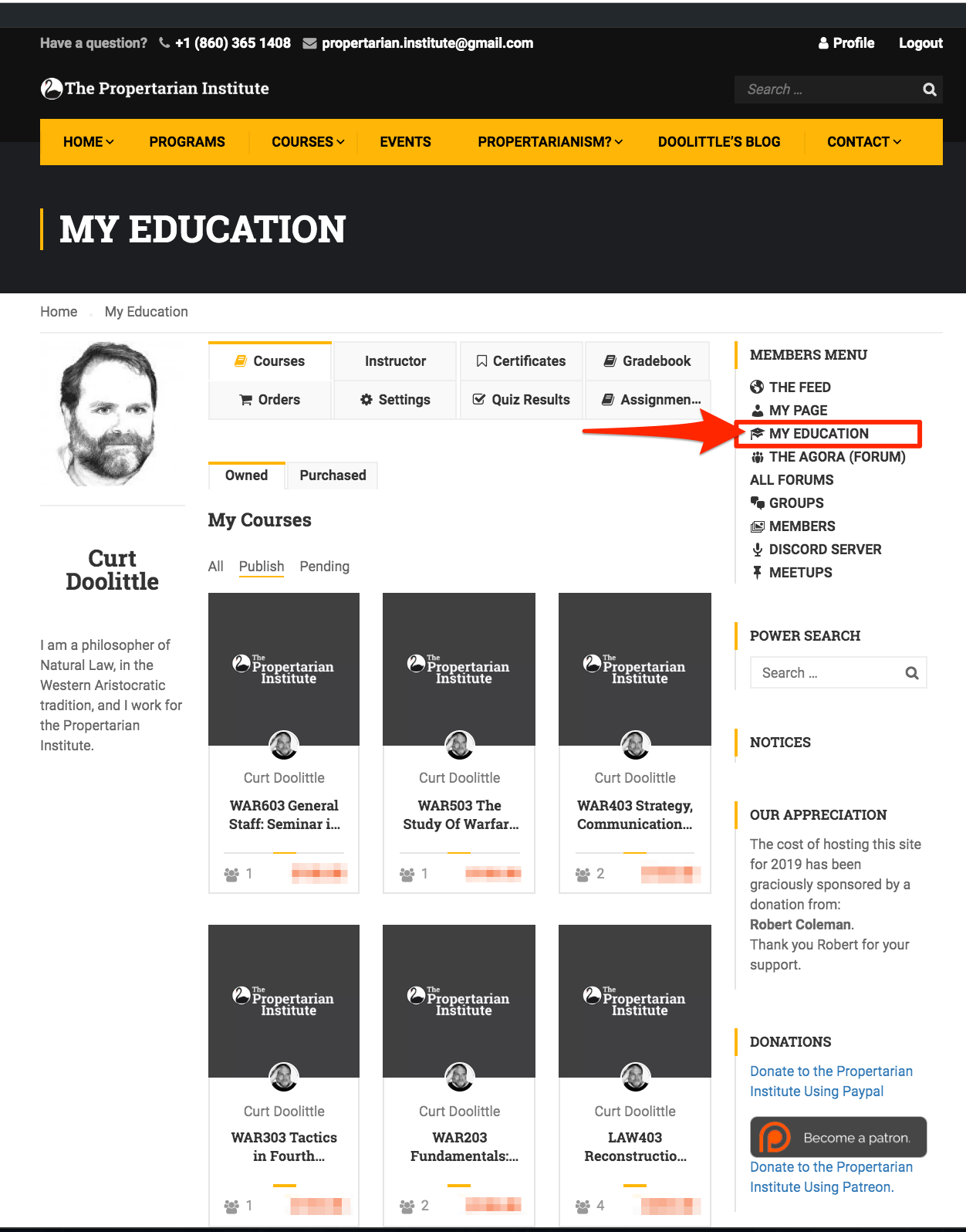
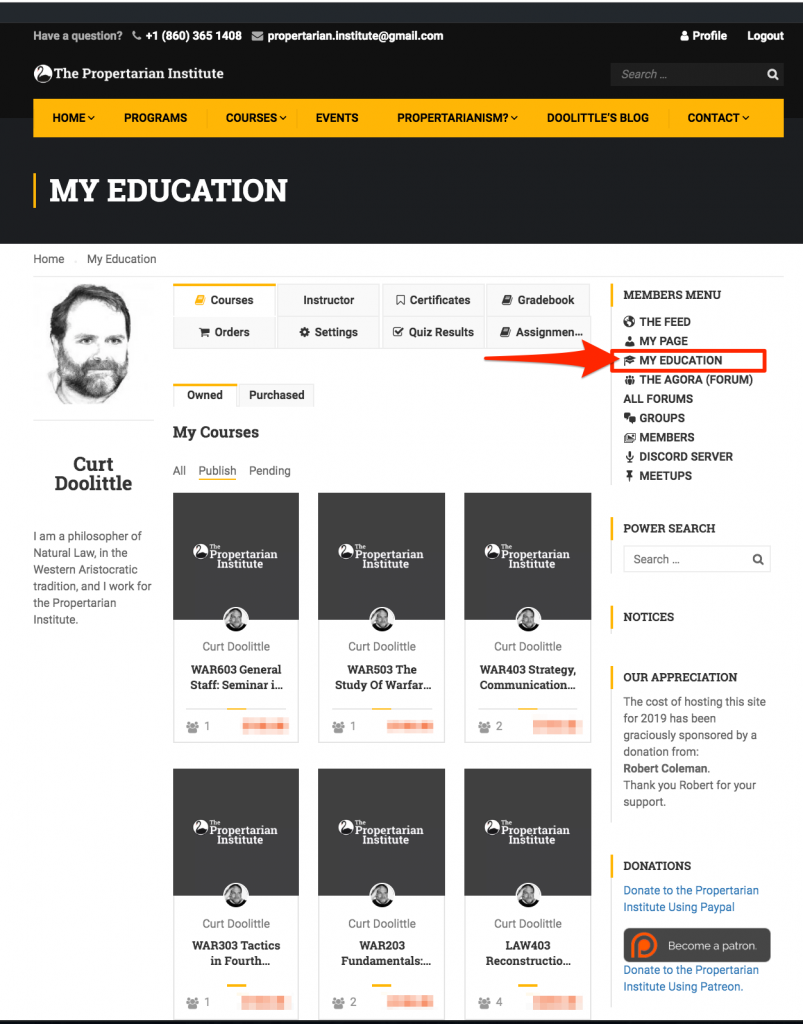
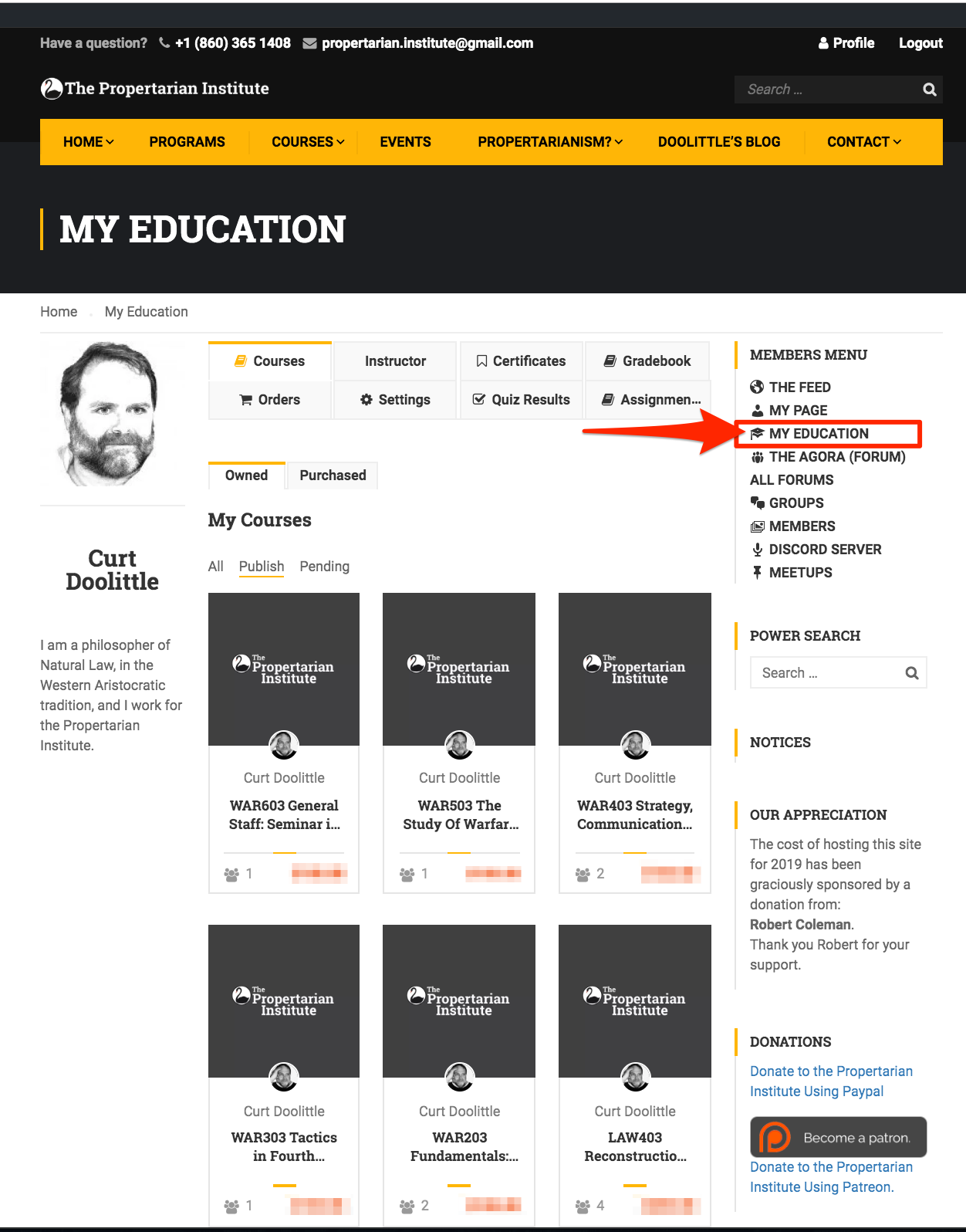
    Your Education

    Courses, Assignments, Quizzes, Grades, Orders, and Settings
    [/vc_column_text][/vc_column][vc_column width=”1/2″][vc_column_text]

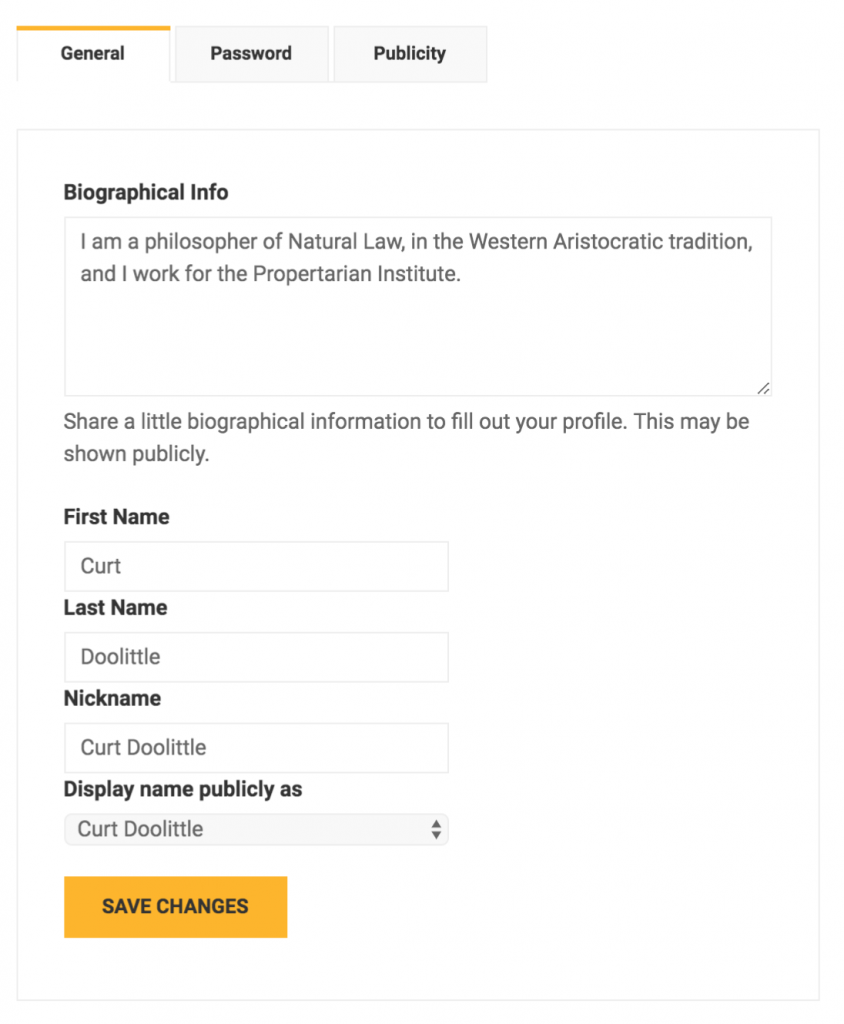
    From the Your Education Page you can

    Use the Top Tabs to:

    • Access your courses – both those you’re taking and those you teach.
    • View your:
      • Assignments
      • Quizzes (we don’t really us them often)
      • Grades
      • Certificates
      • Orders

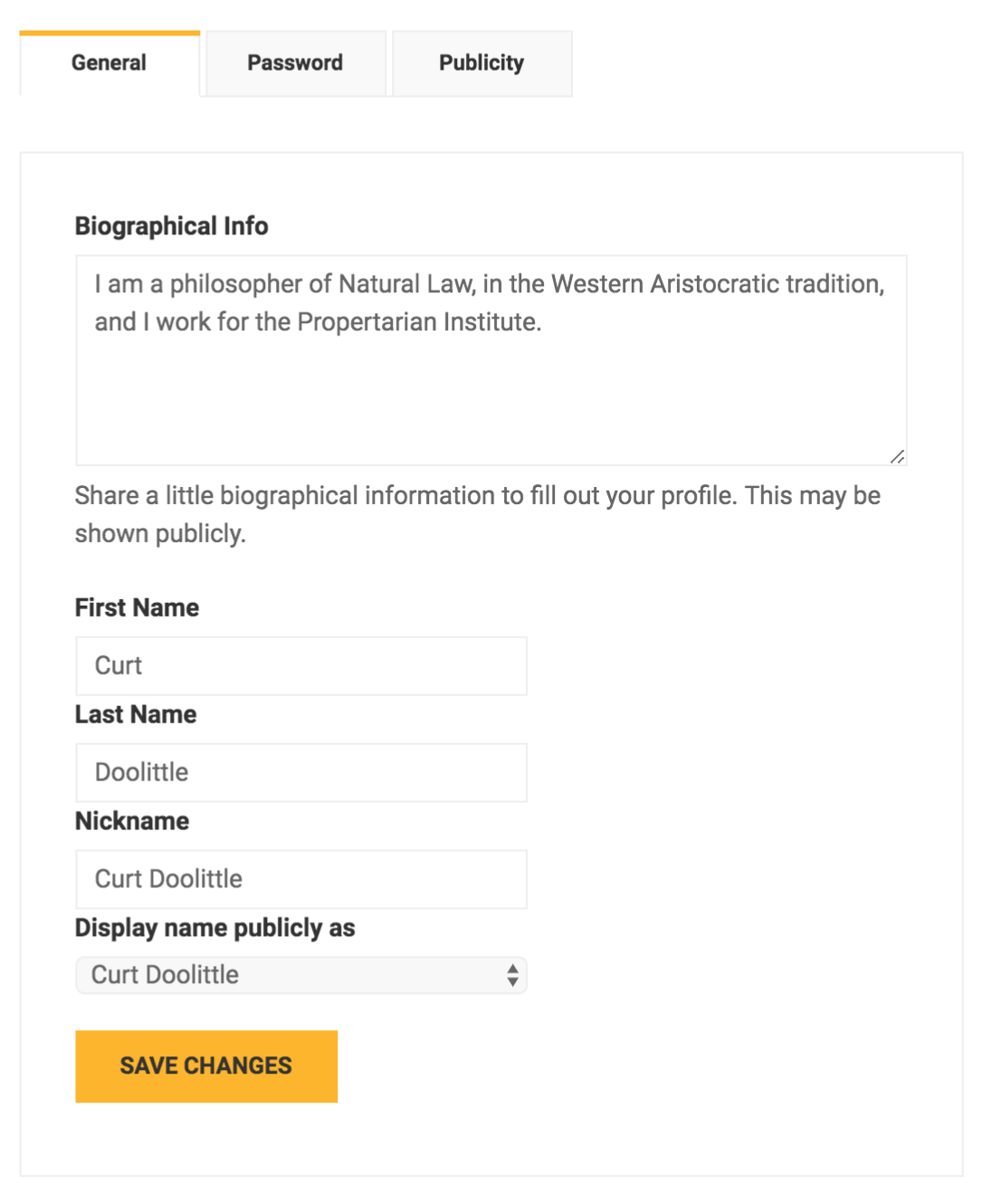
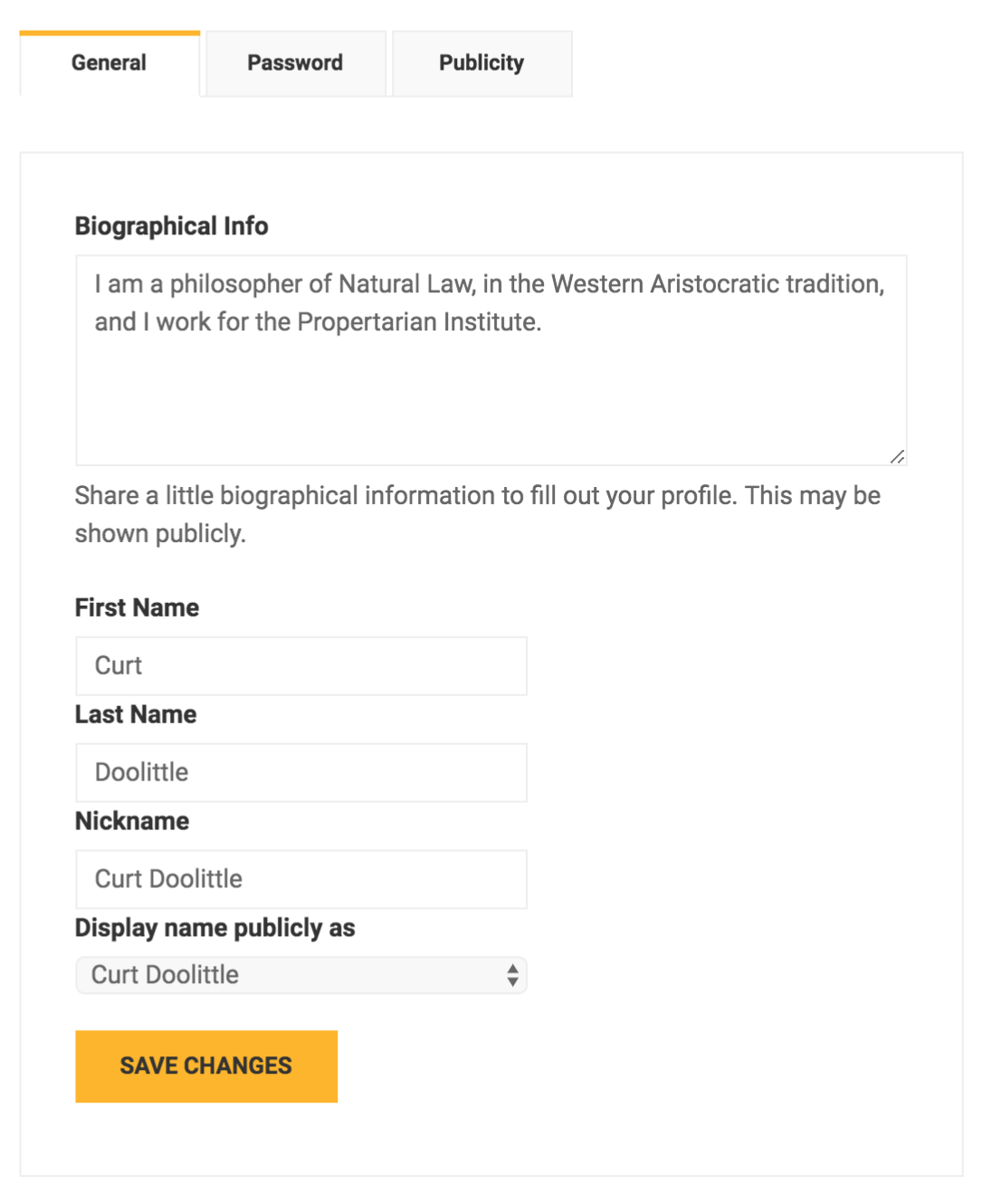
    And you can use the Settings tab to change publicly available information such as

    • Your Name
    • Nickname
    • Display Name
    • Bio (about yourself)

     [/vc_column_text][/vc_column][/vc_row]

    [vc_row][vc_column width=”1/2″][vc_column_text]

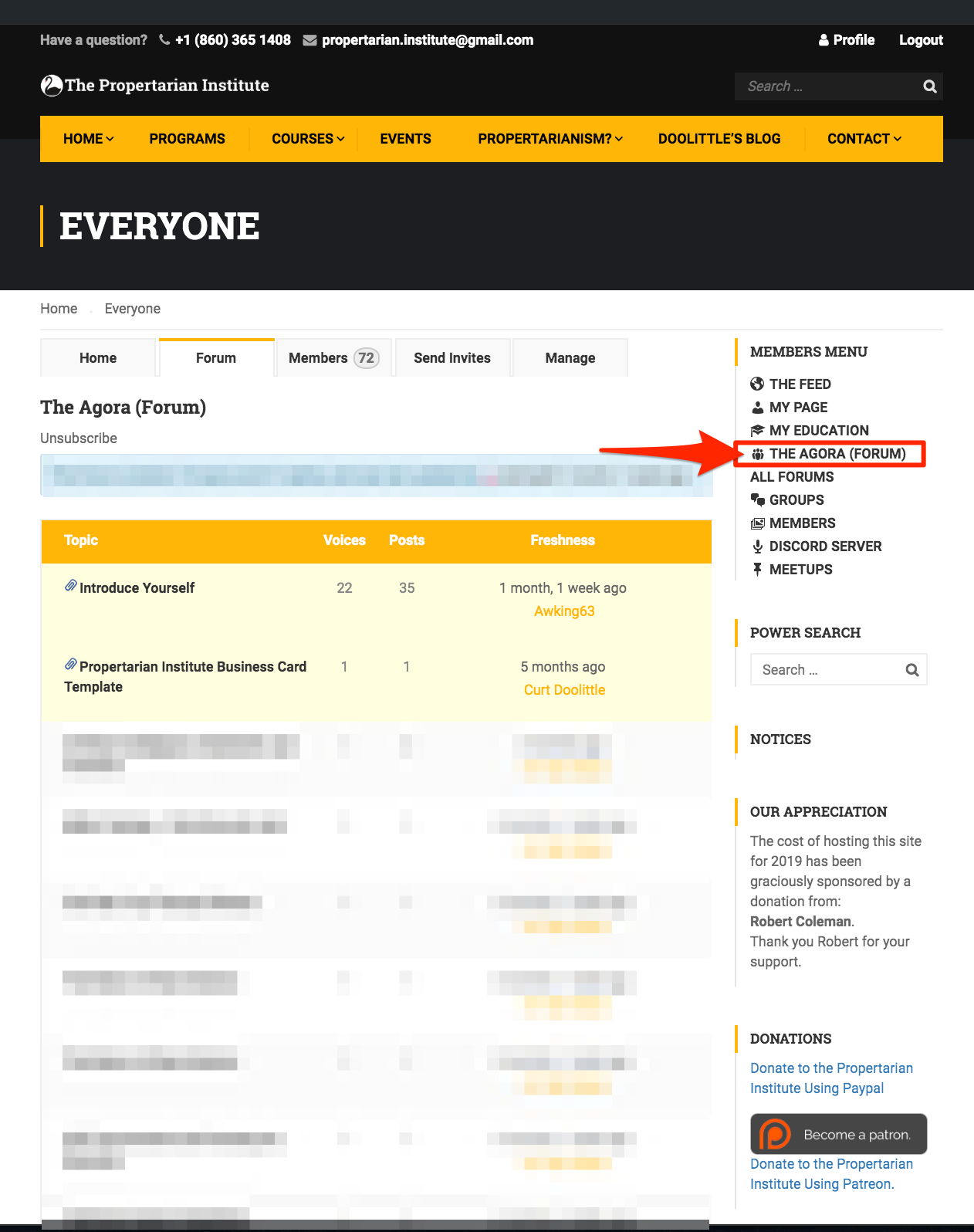
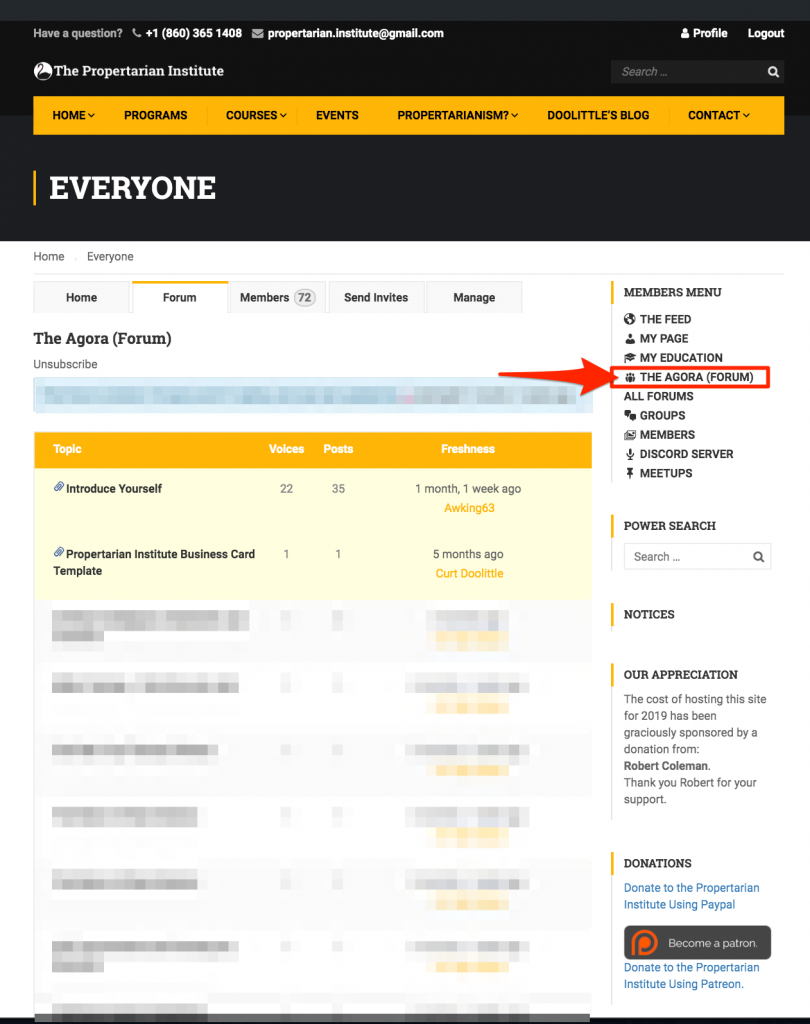
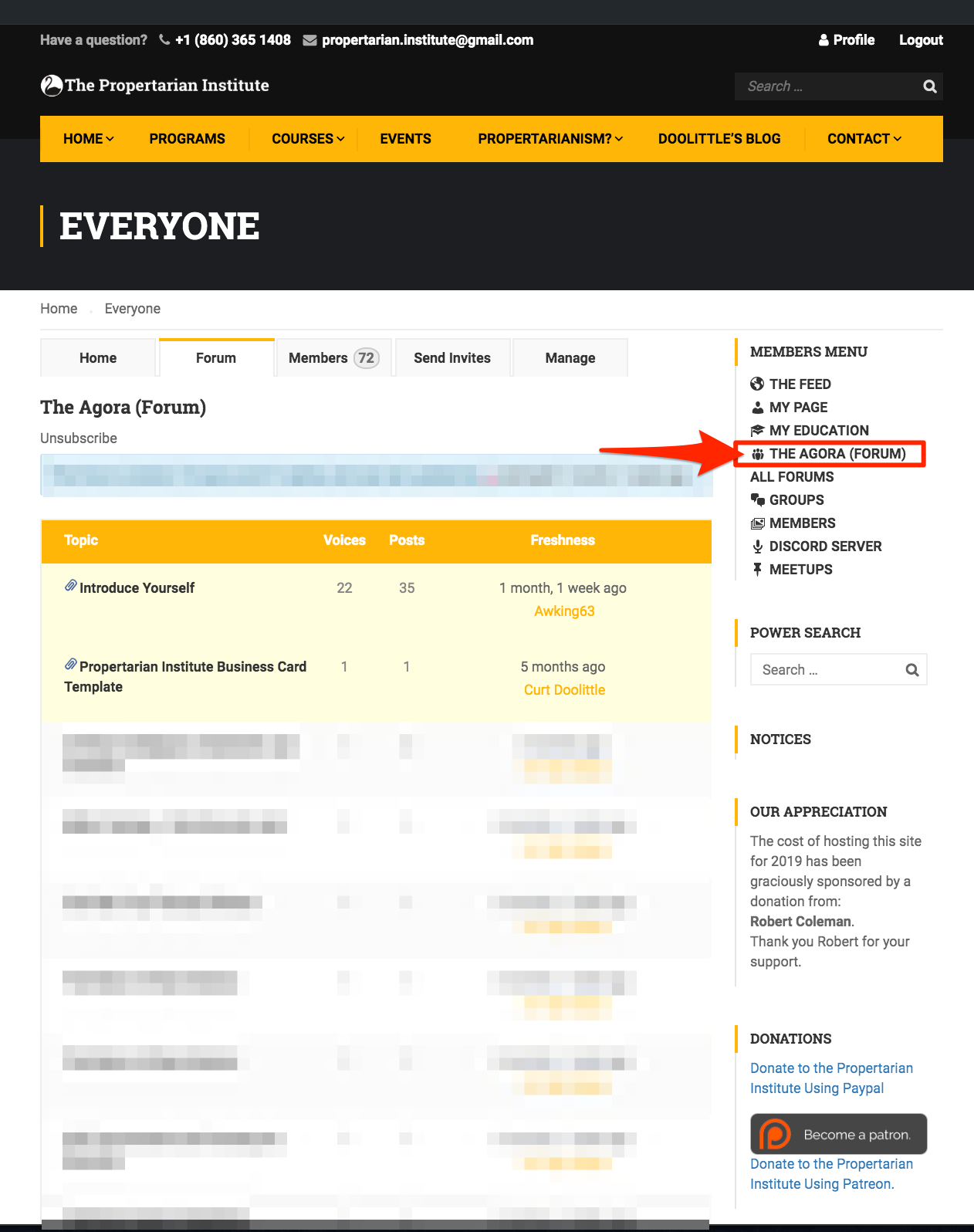
    The “Agora” (Everyone Forum)

    Public Discussions
    [/vc_column_text][/vc_column][vc_column width=”1/2″][vc_column_text]

    From the Everyone or Agora Forum

    • You can find, join, or create new topics of general interest

    Note that you can use the feed for announcements.
    Forums are best used for topics that might continue for some time.[/vc_column_text][/vc_column][/vc_row]

    [vc_row][vc_column width=”1/2″][vc_column_text]

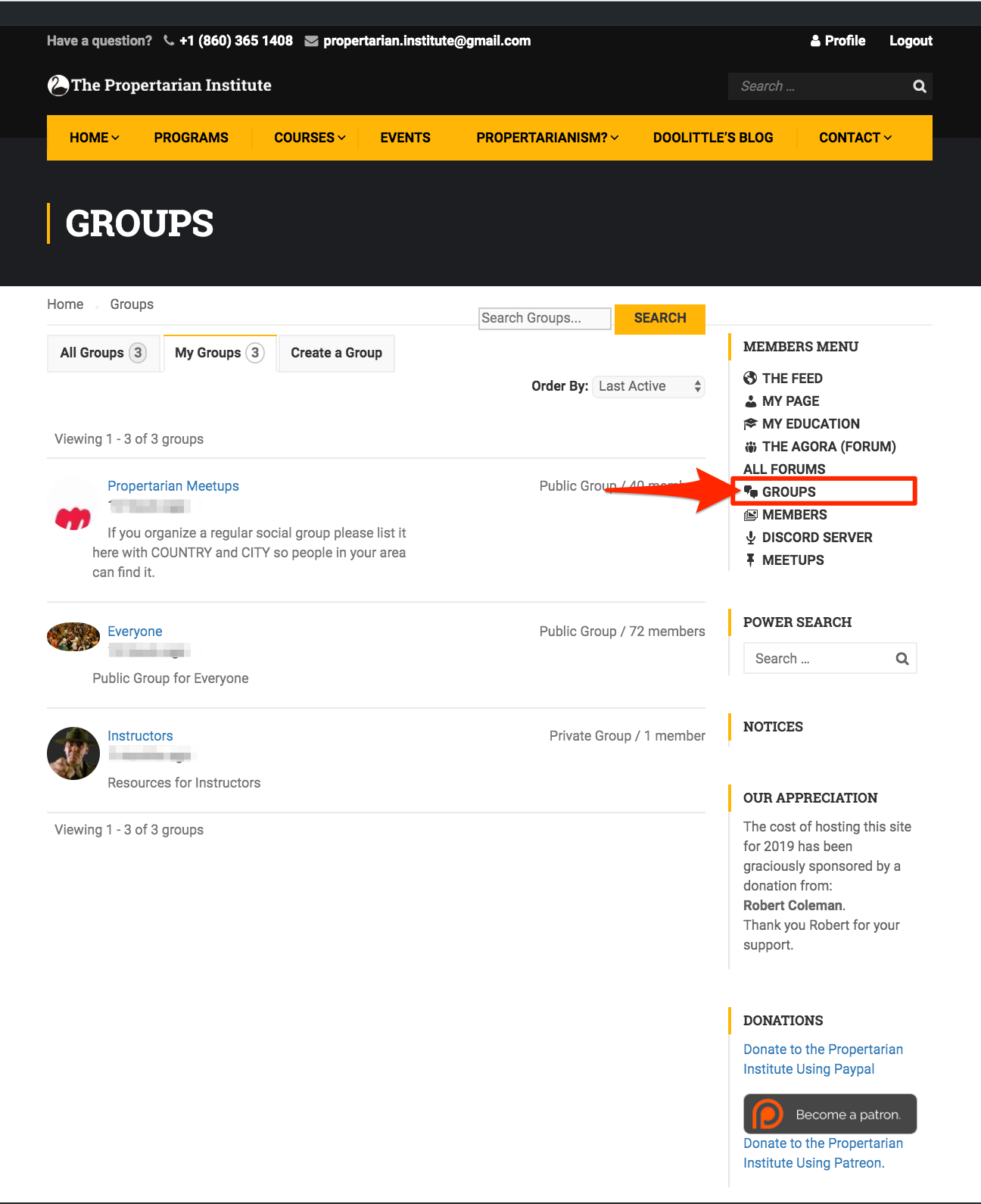
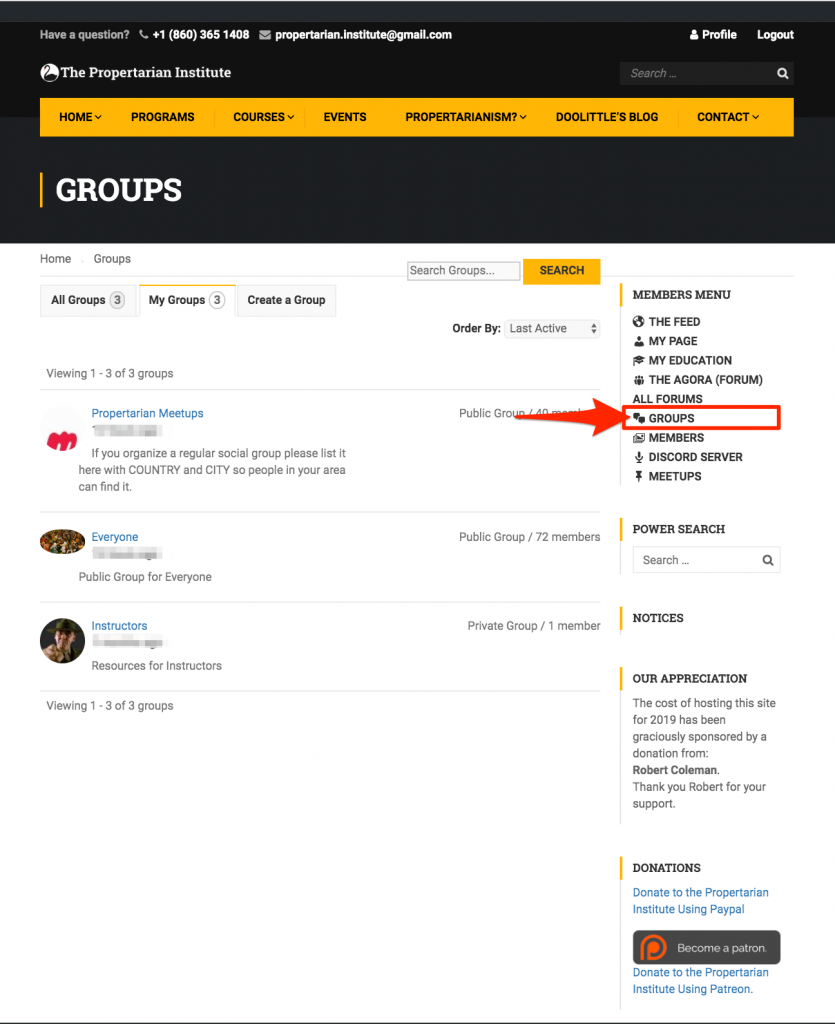
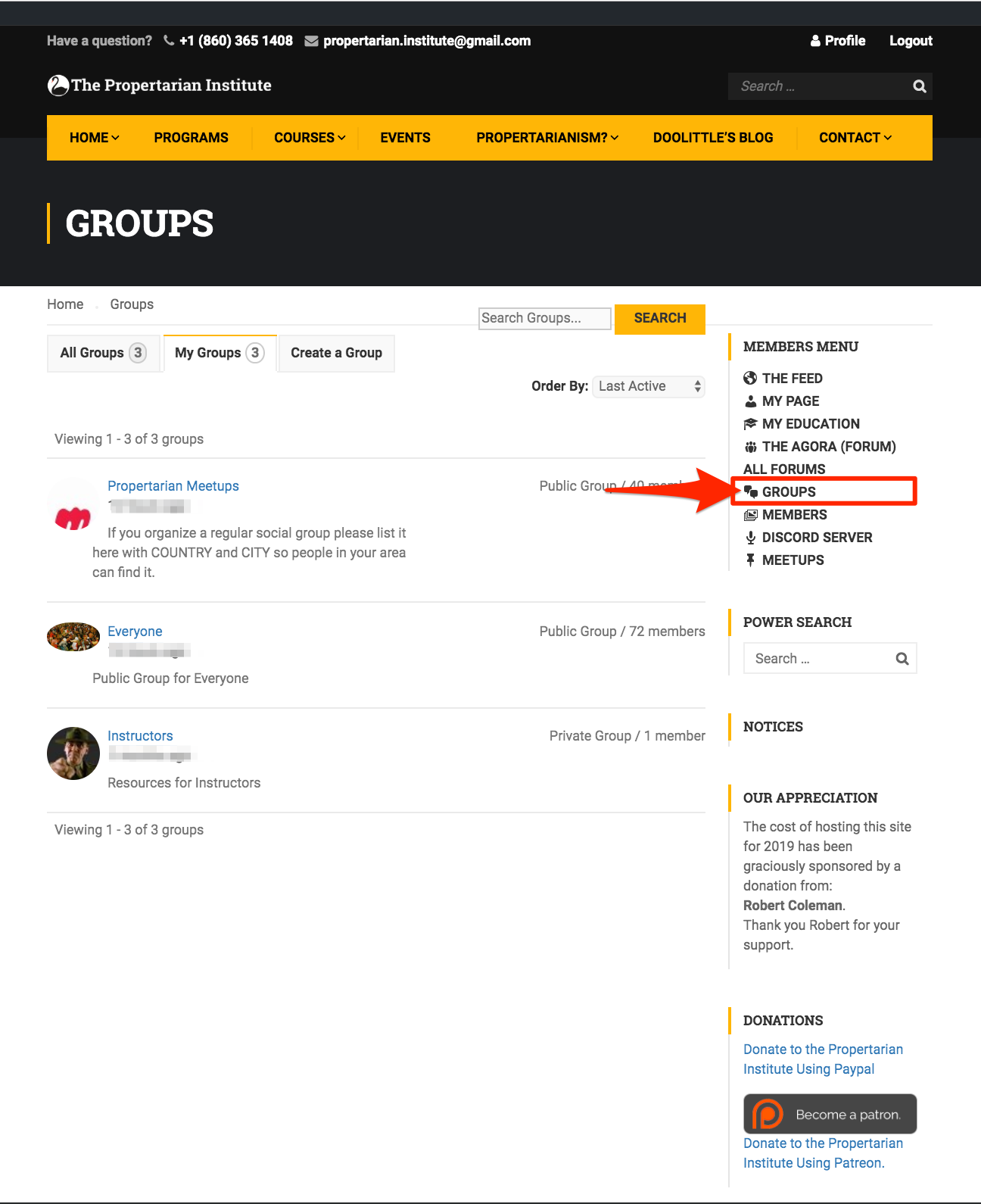
    Groups Listing
    [/vc_column_text][/vc_column][vc_column width=”1/2″][vc_column_text]

    From the Groups Page

    • Find, Join or Create a Public or Private Group.
    • You have the choice of whether to create a Forum for your group.

    [/vc_column_text][/vc_column][/vc_row]

    [vc_row][vc_column width=”1/2″][vc_column_text]

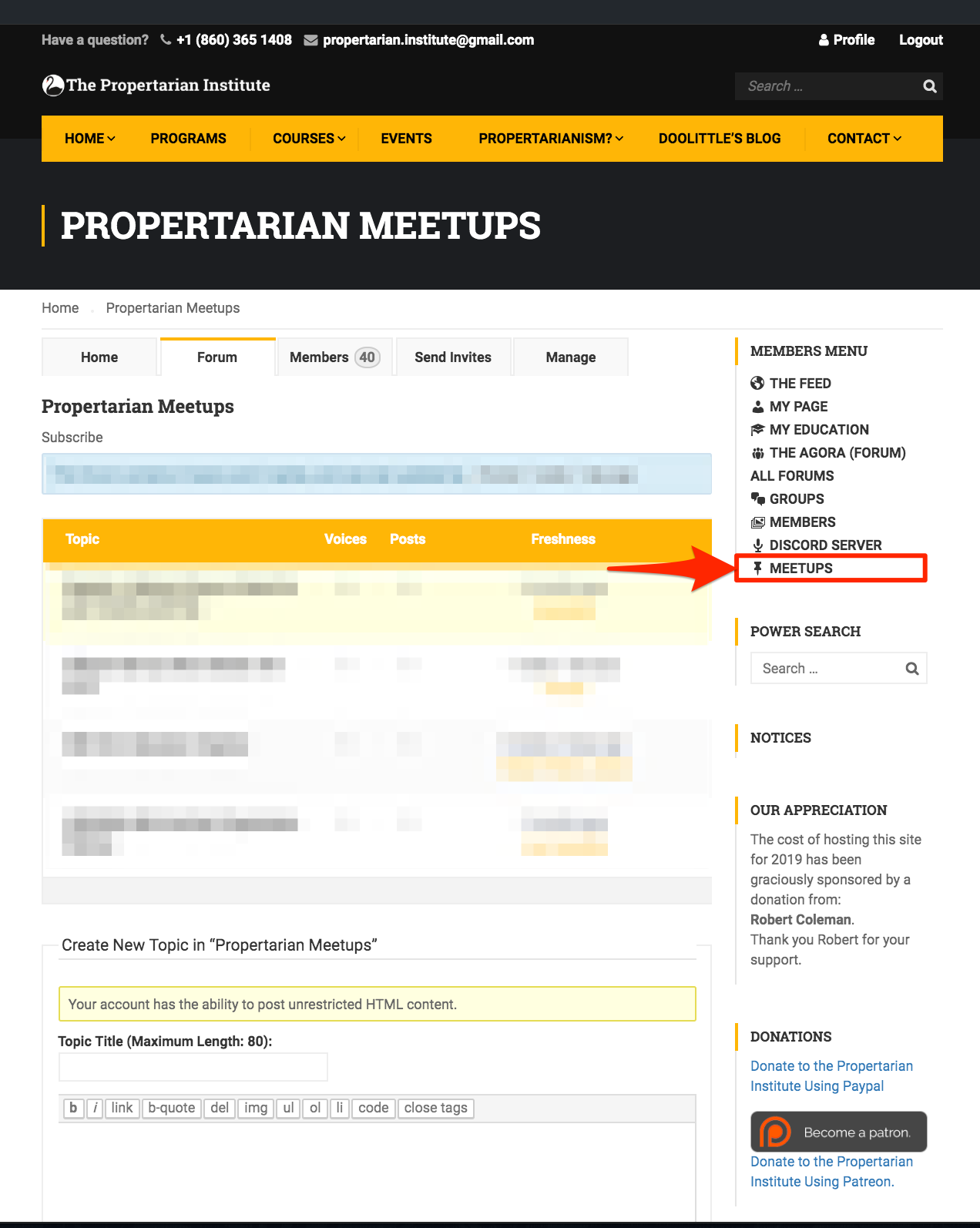
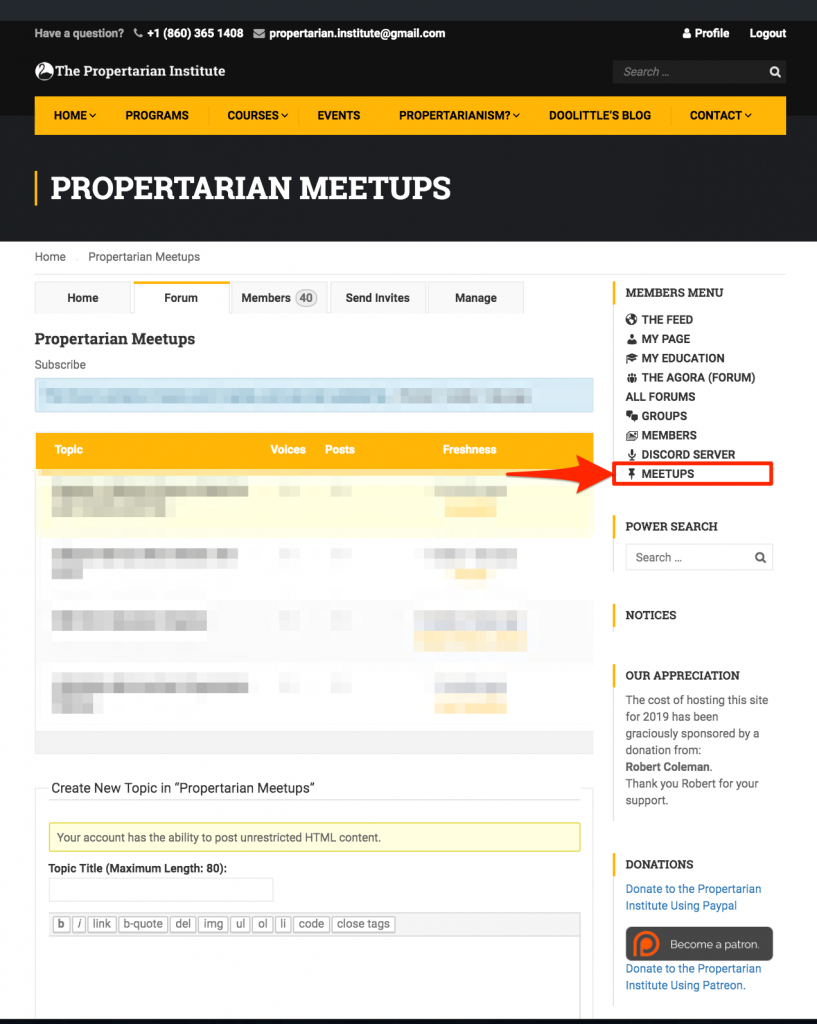
    In Real Life Meetups.
    [/vc_column_text][/vc_column][vc_column width=”1/2″][vc_column_text]

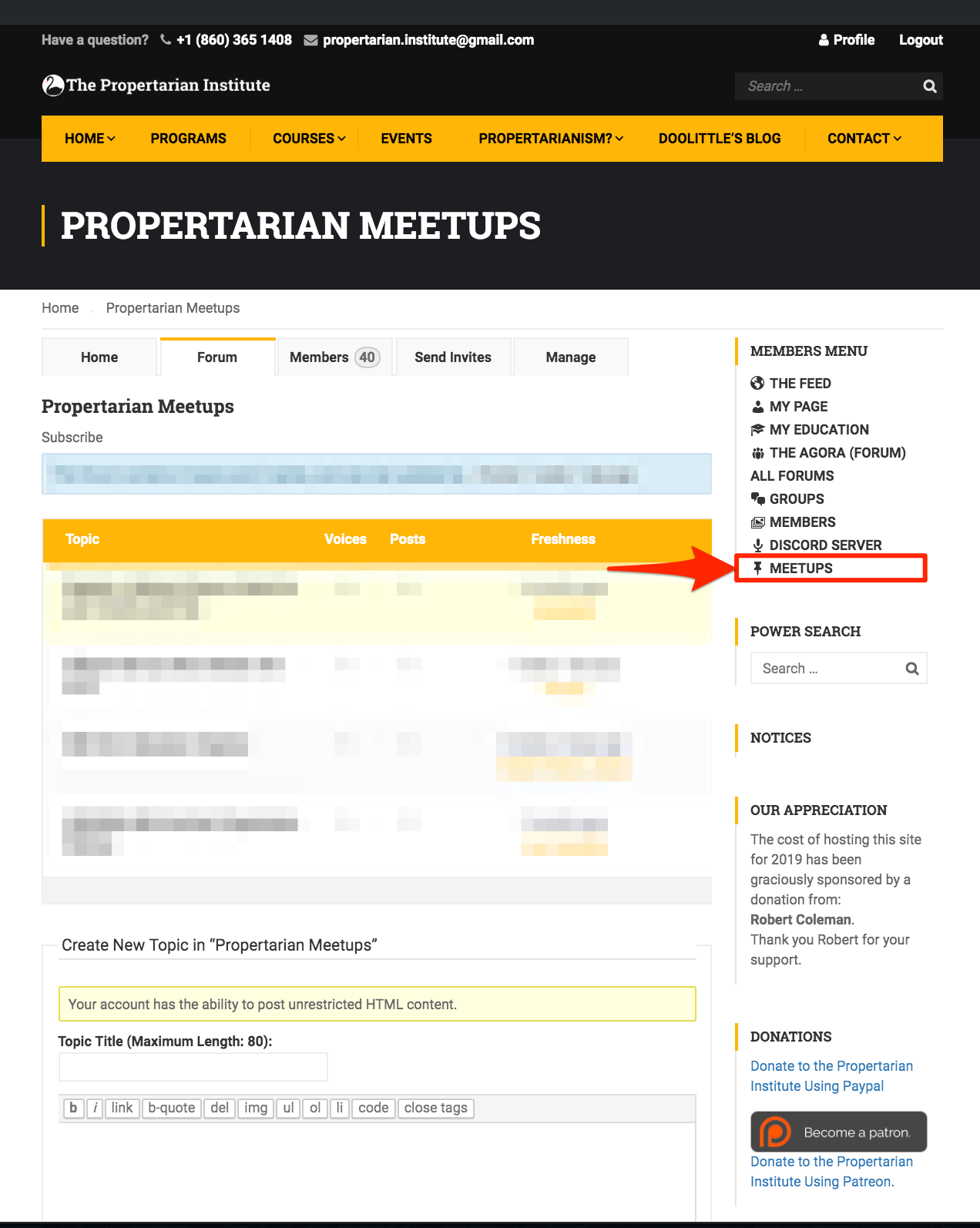
    From the Meetups Page

    • Use the Meetups to Register your Group or Organization – even if you’re just searching for people nearby.
    • Use the Events System (or more popular Meetup.com) or Facebook to schedule events.

    [/vc_column_text][/vc_column][/vc_row]

  • Overview of the Site

    Overview of the Site

    [vc_row][vc_column width=”1/2″][vc_column_text]

    Home Page


     [/vc_column_text][/vc_column][vc_column width=”1/2″][vc_column_text]

    From The Home Page you can:

    1. Register, and
    2. Login.

    Register.

    Then Login

    [/vc_column_text][/vc_column][/vc_row]

    [vc_row][vc_column width=”1/2″][vc_column_text]

    Home Page

    [/vc_column_text][/vc_column][vc_column width=”1/2″][vc_column_text]

    From The Home Page you can:

    1. Use the Profile Menu to enter the Institute Application.

    The application contains:

    1. The Courses System
    2. The Groups and Forums System
    3. The Social Media System

     [/vc_column_text][/vc_column][/vc_row]
    [vc_row][vc_column width=”1/2″][vc_column_text]

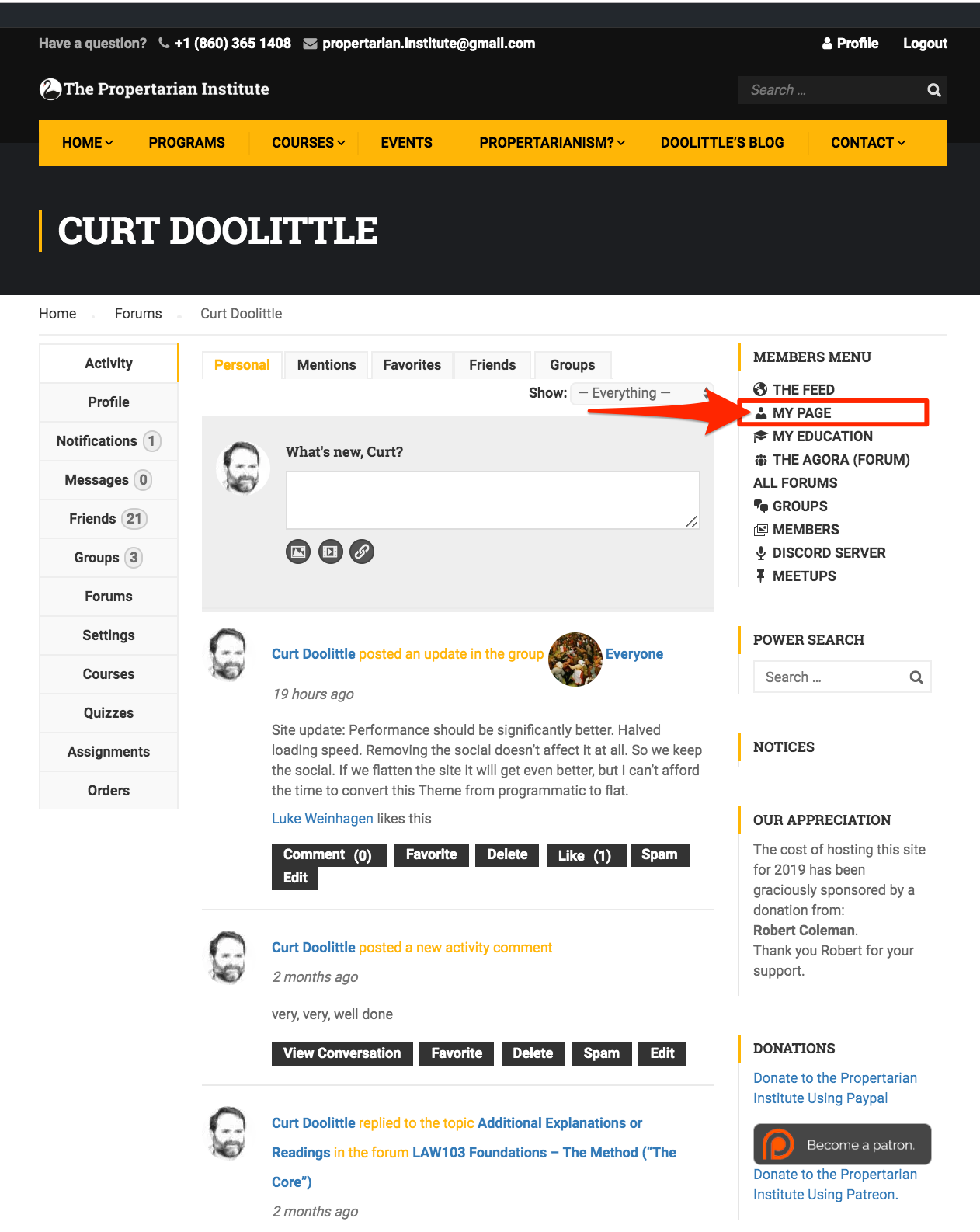
    Your Profile

    1) Your Postings.
    2) Profile Menu (on left)

    [/vc_column_text][/vc_column][vc_column width=”1/2″][vc_column_text]

    From the My Page (Profile) Page

    Use the My Page (Profile) Feed to

    • Post new content
    • Review your previously posted content

    Use the Top Menu to Filter the Messages by

    • Personal
    • Mentions
    • Favorites
    • Friends
    • Groups

    It’s unlikely you will use most of these features until you are experienced with the application.

    Use the Profile Menu, on the Left to:

    1. View Activity (default view)
    2. See Notifications
    3. Read and Send Messages
    4. View Your:
    • Friends 
    • Groups
    • Forums
    • Courses
    • Quizzes
    • Assignments 
    • Orders (For Courses)

     [/vc_column_text][/vc_column][/vc_row]
    [vc_row][vc_column width=”1/2″][vc_column_text]

    The Main Feed

    (Like Facebook’s ‘Home’)

    [/vc_column_text][/vc_column][vc_column width=”1/2″][vc_column_text]

    From the Main Feed

    Use the main feed to see all the incoming activity from everyone you’re associated with.[/vc_column_text][/vc_column][/vc_row]
    [vc_row][vc_column width=”1/2″][vc_column_text]

    Our Blog

    [/vc_column_text][/vc_column][vc_column width=”1/2″][vc_column_text]

    From The Blog

    The Blog is an archive from about 2009 to present of almost everything Curt has made public, plus contributions from dozens of others.

    Searching the Blog

    Use the Search box and pick a phrase or keywords to return a list of all the quotes, posets, and articles that we have archived.[/vc_column_text][/vc_column][/vc_row]
    [vc_row][vc_column width=”1/2″][vc_column_text]

    Propertarianism References Menu

    [/vc_column_text][/vc_column][vc_column width=”1/2″][vc_column_text]

    From the Propertarianism Menu

    You can learn about propertarianism in its current state of development.

    1. Select Main Menu, then
    2. Propertarianism

    You’ll see the Propertarianism References Menu.

    We update the content regularly so the list changes.

    Most important for new readers is:

    1. The Overview
    2. Learning Propertarianism
    3. And The Reading List

    If you want to learn about criticisms of Propertarianism, Curt’s method of using King of the Hill Games, or his ‘combative‘ style read:

    • Answering Criticisms, and
    • The “GSRRM” Technique.
    • A Short Course in Abrahamic Argument.

    There is a method to his technique of ‘Teaching Men’ in the “Locker Room” of Internet discourse.

     [/vc_column_text][/vc_column][/vc_row]
    [vc_row][vc_column width=”1/2″][vc_column_text]

    Your Education

    Courses, Assignments, Quizzes, Grades, Orders, and Settings

    [/vc_column_text][/vc_column][vc_column width=”1/2″][vc_column_text]

    From the Your Education Page you can

    Use the Top Tabs to:

    • Access your courses – both those you’re taking and those you teach.
    • View your:
      • Assignments
      • Quizzes (we don’t really us them often)
      • Grades
      • Certificates
      • Orders

    And you can use the Settings tab to change publicly available information such as

    • Your Name
    • Nickname
    • Display Name
    • Bio (about yourself)

     [/vc_column_text][/vc_column][/vc_row]
    [vc_row][vc_column width=”1/2″][vc_column_text]

    The “Agora” (Everyone Forum)

    Public Discussions

    [/vc_column_text][/vc_column][vc_column width=”1/2″][vc_column_text]

    From the Everyone or Agora Forum

    • You can find, join, or create new topics of general interest

    Note that you can use the feed for announcements.
    Forums are best used for topics that might continue for some time.[/vc_column_text][/vc_column][/vc_row]
    [vc_row][vc_column width=”1/2″][vc_column_text]

    Groups Listing

    [/vc_column_text][/vc_column][vc_column width=”1/2″][vc_column_text]

    From the Groups Page

    • Find, Join or Create a Public or Private Group.
    • You have the choice of whether to create a Forum for your group.

    [/vc_column_text][/vc_column][/vc_row]
    [vc_row][vc_column width=”1/2″][vc_column_text]

    In Real Life Meetups.

    [/vc_column_text][/vc_column][vc_column width=”1/2″][vc_column_text]

    From the Meetups Page

    • Use the Meetups to Register your Group or Organization – even if you’re just searching for people nearby.
    • Use the Events System (or more popular Meetup.com) or Facebook to schedule events.

    [/vc_column_text][/vc_column][/vc_row]